
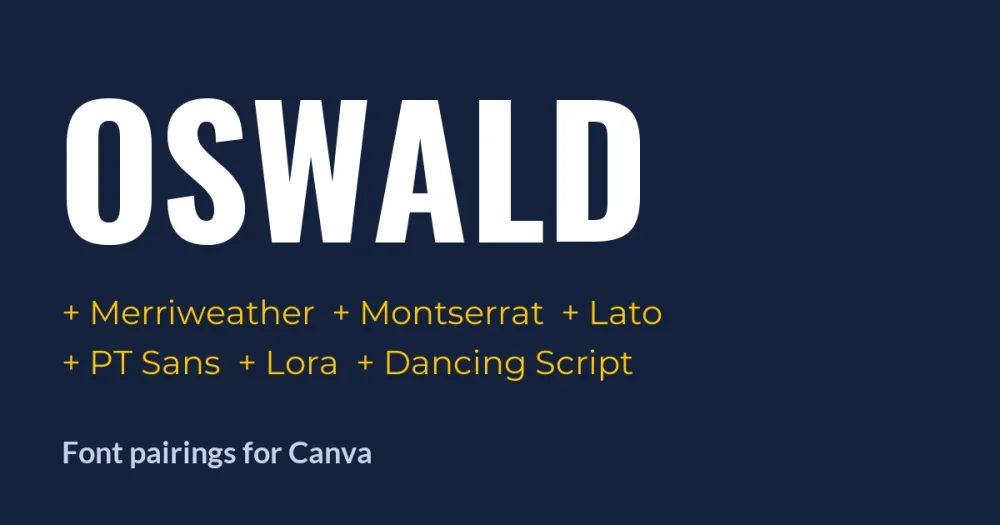
Oswald Font is a tall, narrow sans serif. Vernon Adams drew it from the old “Alternate Gothic” newspaper style, so it fits a long headline into very little horizontal space. That is also why it needs a partner: set a whole flyer in Oswald and every line shouts at the same volume.
The fix is almost always the same. Keep Oswald for the headline, then choose a body font that is wider, calmer, or has serifs, so the reader can tell at a glance which line is the title and which lines are the details.
Below are six pairings, each rendered in a layout you might actually build in Canva: a magazine cover line, a sale post, a slide, an event poster, a brand note and an invitation. Every font on this page is a free Google Font under the SIL Open Font License.
Quick answer
| Pair Oswald with | Type | Works best for |
|---|---|---|
| Merriweather | Serif | Blog graphics, newsletters, anything with long text |
| Montserrat | Wide sans | Sale posts, social ads, bold modern layouts |
| Lato | Rounded sans | Presentations, reports, business documents |
| PT Sans | Humanist sans | Posters and event details |
| Lora | Soft serif | Cafes, small brands, warm editorial pieces |
| Dancing Script | Script accent | Invitations, openings, one or two accent words |
How to set a pairing in Canva
- Step 1: Add a heading text box, open the font menu and search Oswald. Most designers set Oswald headlines in capitals, where its narrow shape reads best.
- Step 2: Add a body text box and search for the second font by name.
- Step 3: If a font does not appear in your font menu, it is not in your Canva library. On Canva Pro you can upload the font file through Brand Kit → Brand fonts. All six fonts here are open source, so uploading them is allowed. You can get Oswald with its license file from our Oswald font page.
- Step 4: Once the pair looks right, save both fonts to your Brand Kit so every new design starts with them.
Size matters as much as the choice of font. As a starting point, make the Oswald heading three to four times the size of the body text. A smaller gap than that and the two lines start competing.
1. Oswald + Merriweather: the safe choice for long text
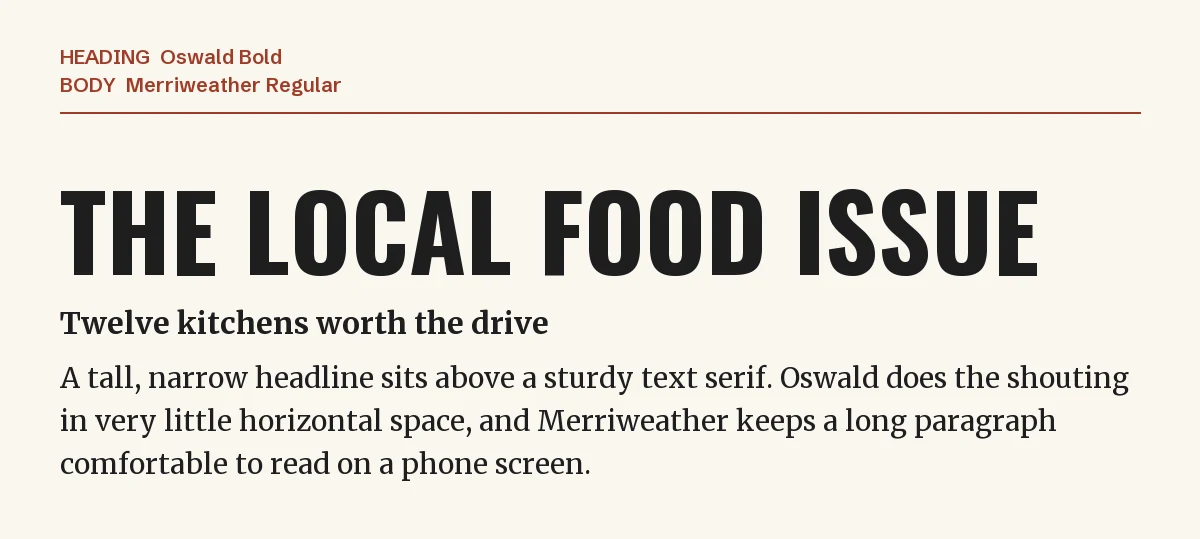
Merriweather was designed for reading on screens: it has a large x-height, open shapes and sturdy serifs that hold up at small sizes. Under a condensed Oswald headline, it gives you the clearest contrast in this list. One font is narrow and has no serifs, the other is wide with serifs.
Use it when your design has more than two or three lines of text: blog header graphics, newsletter templates, carousel posts that explain something, recipe cards. See also our Merriweather font page.
2. Oswald + Montserrat: bold and modern
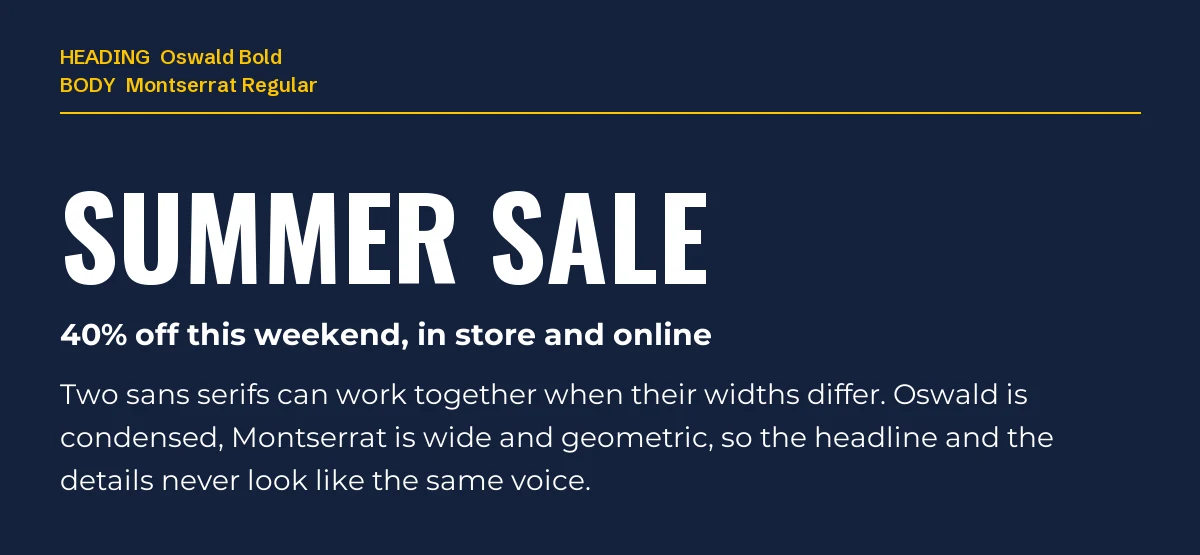
Two sans serifs can clash, but this pair works because the widths are opposite. Oswald is compressed; Montserrat is wide and geometric, drawn from old signage in Buenos Aires. The difference in width does the same job that serifs do in the first pairing.
It is a popular Oswald pairing for marketing designs: sale announcements, promo posts, YouTube thumbnails and ads. Keep Montserrat at a regular or medium weight for the body. At bold weight it starts to fight the headline.
3. Oswald + Lato: for slides and business documents
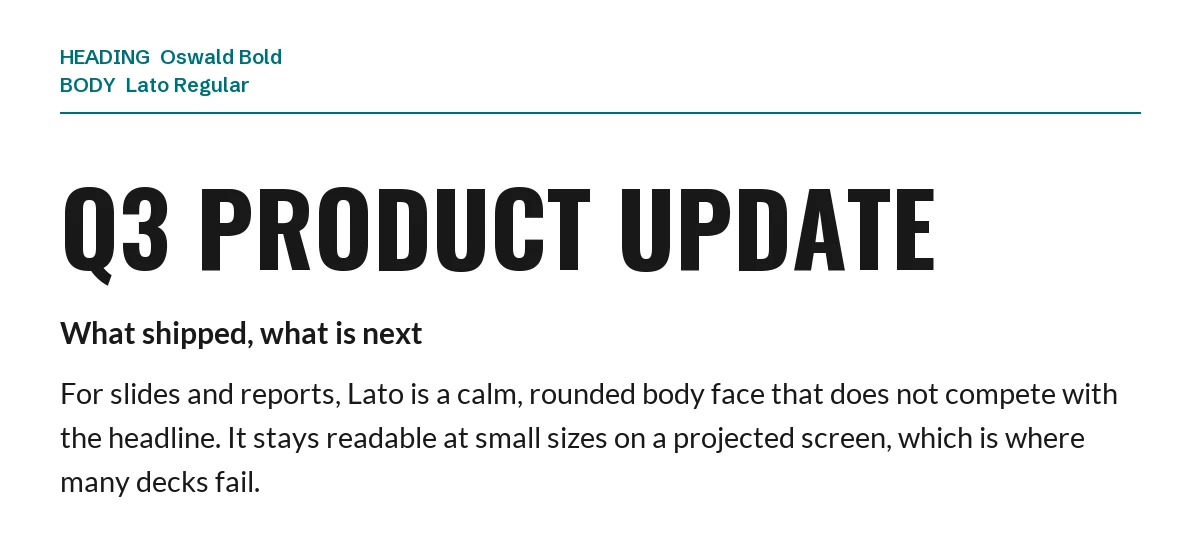
Lato has slightly rounded details and an even rhythm, so it stays quiet under a strong headline. That makes it a good choice for presentations and reports, where the body text often shrinks to fit a slide and has to stay readable from the back of a room.
If your deck already uses Oswald for section titles, Lato for bullets and captions is a low-risk default.
4. Oswald + PT Sans: posters that must be read from a distance
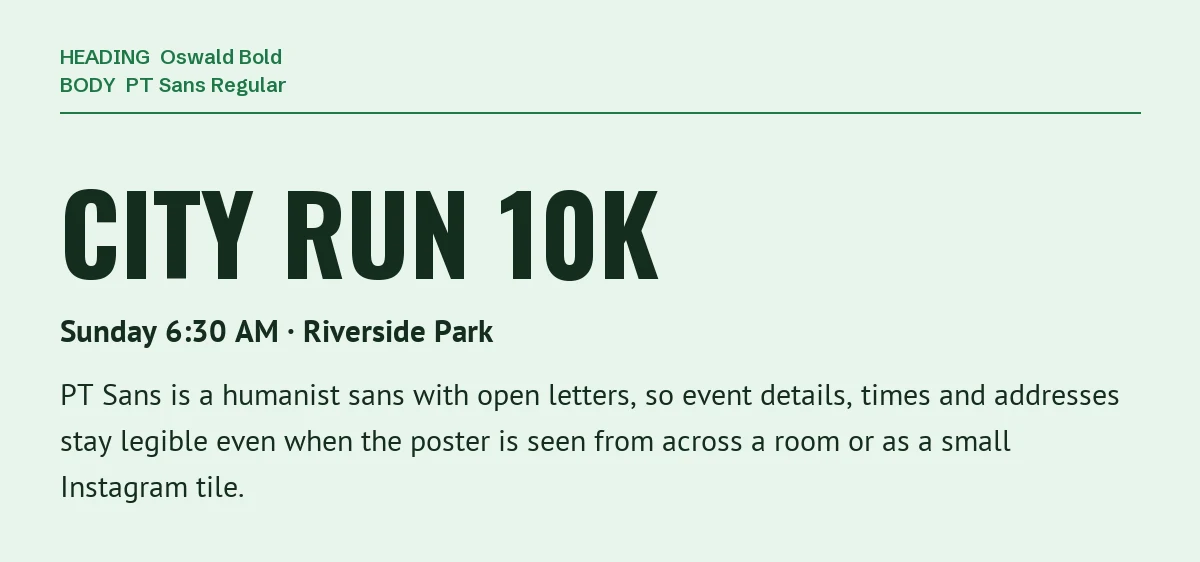
PT Sans is a humanist sans serif made by ParaType for Russian public use, with open letterforms that stay clear at small sizes. On a poster, the headline gets attention, but the date, time and address are what people need to read. PT Sans keeps those details legible, even when the poster appears as a small tile in a feed.
5. Oswald + Lora: direct but warm
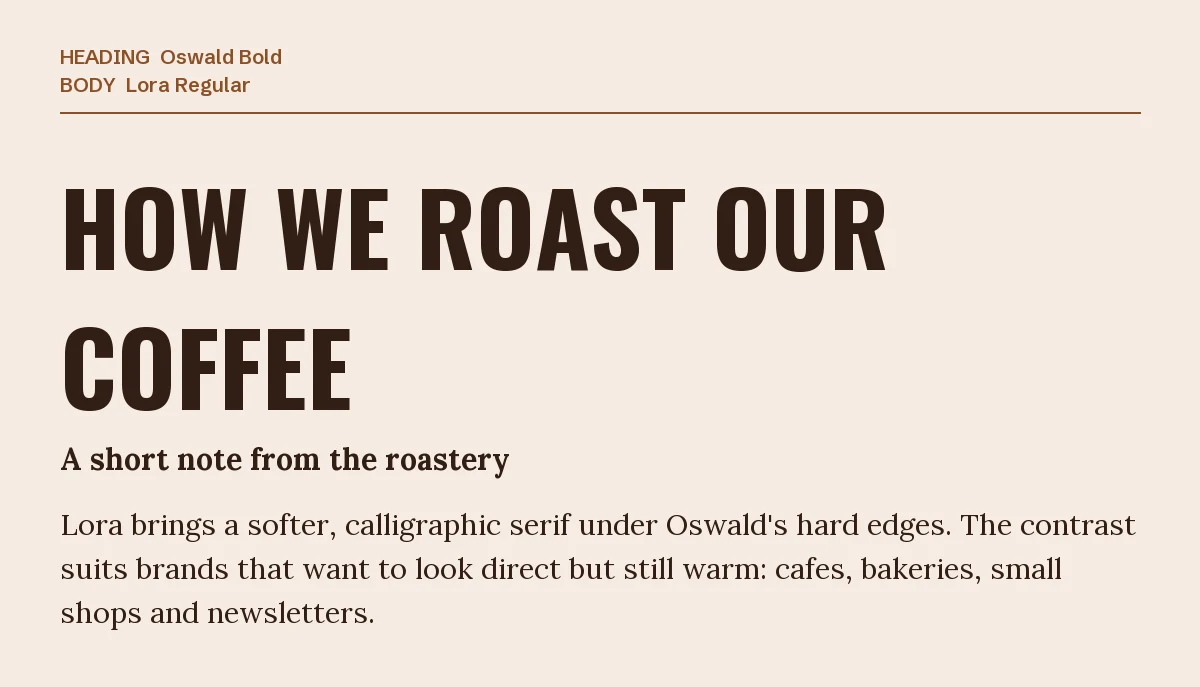
Lora is a serif with brushed, calligraphic curves. Under Oswald’s hard vertical strokes, it softens the whole design. That combination suits brands that want to sound confident without sounding corporate: coffee shops, bakeries, handmade products, personal newsletters.
Compared with Merriweather (pairing 1), Lora feels more literary and less technical. Read more on our Lora font page.
6. Oswald + a script accent (Dancing Script)
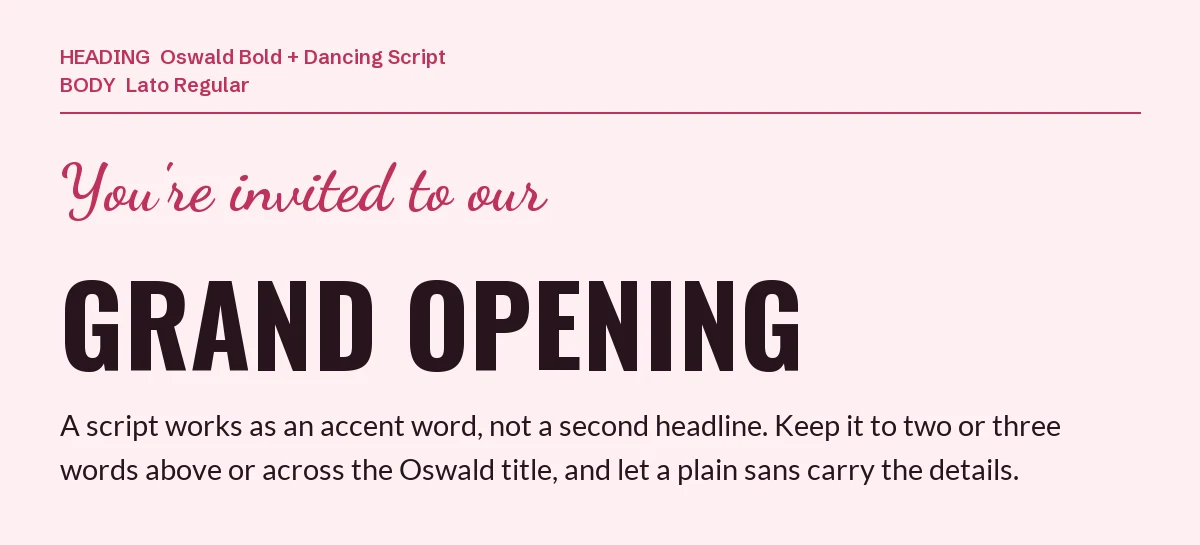
A script font next to Oswald works only as an accent: two to four words above or across the headline, never a full sentence. Here Dancing Script sets the invitation line, Oswald carries “Grand Opening”, and a plain sans (Lato) handles the details.
This three-font setup is common for invitations, store openings and event flyers. Keep it to exactly three roles (accent, headline, details), each with its own font. If you want to try the script on its own, see our Dancing Script page.
One pairing to avoid: Oswald + Bebas Neue
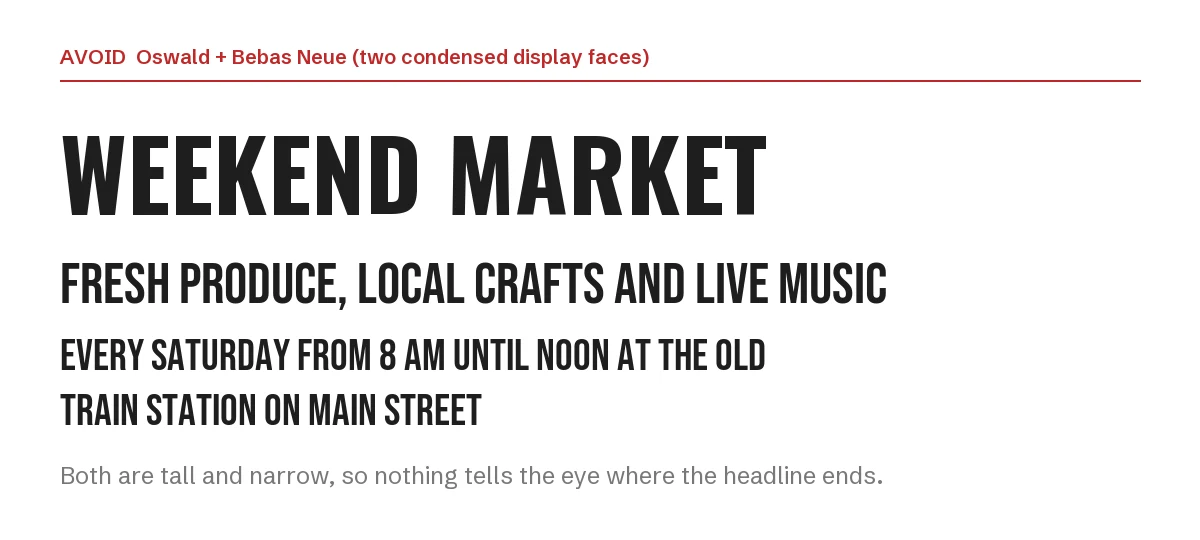
Bebas Neue, Anton and League Gothic are all tall, condensed display fonts, just like Oswald. Stack them and the design has no contrast: the headline blends into the lines below it, and the reader cannot tell where the title ends.
If you like the look of Bebas Neue, use it instead of Oswald, not together with it, and pair it with one of the body fonts above.
Want something less common than Oswald?
Oswald is one of the most used condensed fonts on the web, so designs that use it can look familiar. If you want the same narrow, poster-like shape with more character, these two premium condensed fonts from Creative Market fill the same headline role. To use them in Canva you need Canva Pro (to upload fonts through Brand Kit). Check the license terms on each product page before uploading.
| Font | Designer | Price (standard license) | Why consider it |
|---|---|---|---|
| Bootzy Condensed TM | Type Mania | $29 | Rugged condensed display font; OTF, TTF and WOFF2 files; 3 stylistic sets that change repeated letters automatically |
| Monigue | Zarma Type | $19 | A plain condensed sans serif at a lower price |
Prices were read from the Creative Market product pages on 19 September 2026 and may change.
Both work with the body fonts in this guide. The rules are the same: condensed headline, calmer body.
More Canva pairing guides
- Anton font pairings for Canva: six partners for a single-weight heavy display sans, and why its bold button does nothing
- Raleway font pairings for Canva: six partners for a thin, elegant sans, plus Raleway’s old-style number trap
- Poppins font pairings for Canva: six partners for a geometric sans, from Playfair Display to Inter
Frequently asked questions
Can I use Oswald for commercial designs made in Canva?
Yes. Oswald is released under the SIL Open Font License, which allows commercial use, including logos, products you sell and client work, with no attribution required. The full license details are on our Oswald page.
What is the best body font for Oswald?
For long text, Merriweather. For short marketing copy, Montserrat. For slides, Lato. Choose based on how much reading your design asks for.
Should I use Oswald in lowercase?
You can. Many designers keep it in capitals for large headlines, because the condensed shape reads most clearly that way, and use lowercase Oswald for subheadings.
How many fonts should one Canva design use?
Two is standard: one for headlines and one for body text. A third font should only be a small accent, like the script in pairing 6.
Leave a Reply