

Raleway Font is an elegant, thin-stroked sans serif. Matt McInerney drew it in 2010 as a single hairline weight; Pablo Impallari and Rodrigo Fuenzalida later expanded it into a full family from Thin to Black. That history shows in how people use it: Raleway looks best when it is allowed to stay light and airy, either as a refined body font under a strong serif, or as a clean headline over something sturdier.
This guide covers both roles. Every pairing is rendered in a layout you might build in Canva, and every font here is a free Google Font under the SIL Open Font License.
Quick answer
| Pairing | Raleway’s role | Good for |
|---|---|---|
| Playfair Display + Raleway | Body | Fashion, jewellery, luxury, wedding stationery |
| Raleway + Merriweather | Headline | Blog graphics, long captions, newsletters |
| Cormorant Garamond + Raleway | Body | Beauty, skincare, spa and wellness brands |
| Raleway + Libre Baskerville | Headline | Portfolios, resumes, case-study slides |
| Raleway + Caveat | Headline | Personal Instagram posts, workshops, creators |
| Raleway + Great Vibes | Headline | Wedding cards, save-the-dates, invitations |
Before you pair it: the number trap
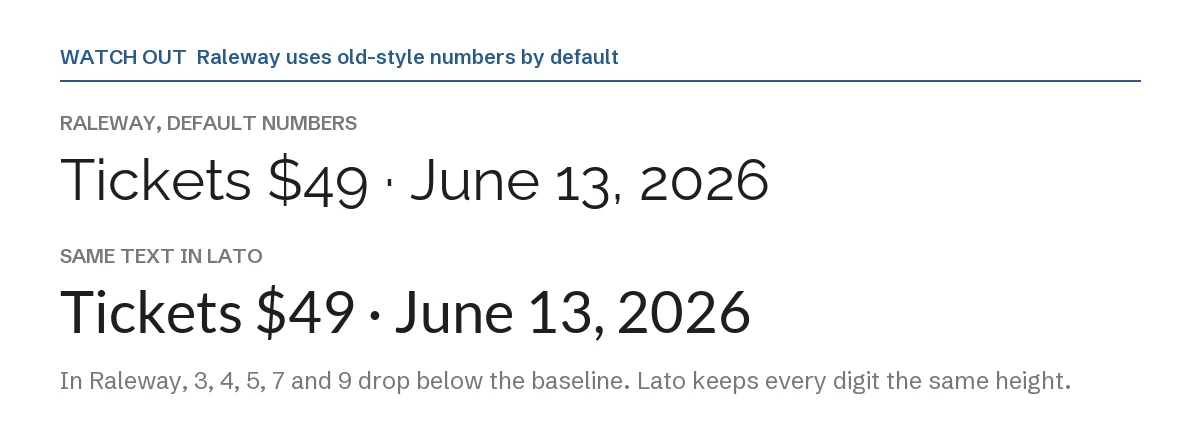
Raleway ships with old-style numbers as the default. In the image above, look at the 3, 4, 5, 7 and 9: they sit lower than the other digits, the way numbers do in old books. In a paragraph that looks refined. On a price tag, an event date or a phone number, it often looks like a mistake.
The font file does include regular “lining” numbers (the OpenType feature lnum), but you need an app that lets you switch that feature on. If your design tool does not offer that option, the simple fix is to set prices, dates and phone numbers in the partner font from the list below, and keep Raleway for words.
We confirmed this by rendering the digits directly from the Raleway font file, not from a screenshot.
How to set a pairing in Canva
- Step 1: Add two text boxes, one for the headline and one for the body.
- Step 2: Open the font menu for each and search the font name.
- Step 3: If a font is missing from your menu, it is not in your Canva library. Canva Pro lets you upload font files through Brand Kit → Brand fonts. Every font on this page is open source, so uploading is allowed. You can download Raleway with its license file from our Raleway font page.
- Step 4: Raleway is thin at its regular weight. For body text on a phone-sized design, try Medium instead of Regular if your Canva menu offers it.
1. Playfair Display + Raleway: the luxury classic
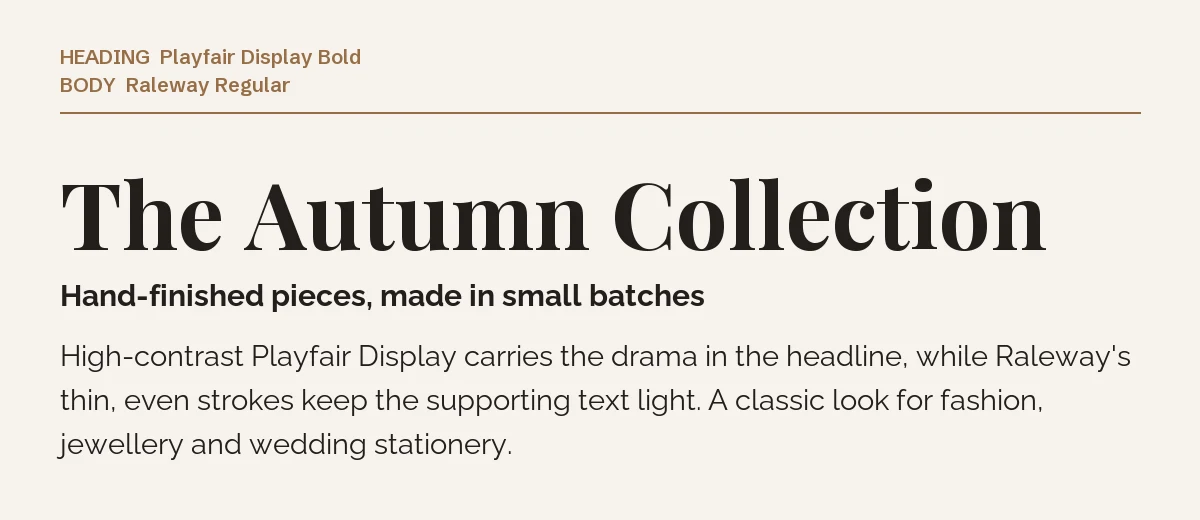
Playfair Display is a high-contrast serif with very thick and very thin strokes. Raleway’s even, delicate lines keep the body text from competing with it. The result feels expensive without being heavy, which is why this pairing appears so often in fashion, jewellery and wedding designs.
Let Playfair take the headline and Raleway everything else. More on the serif at our Playfair Display page.
2. Raleway + Merriweather: when Raleway is the headline
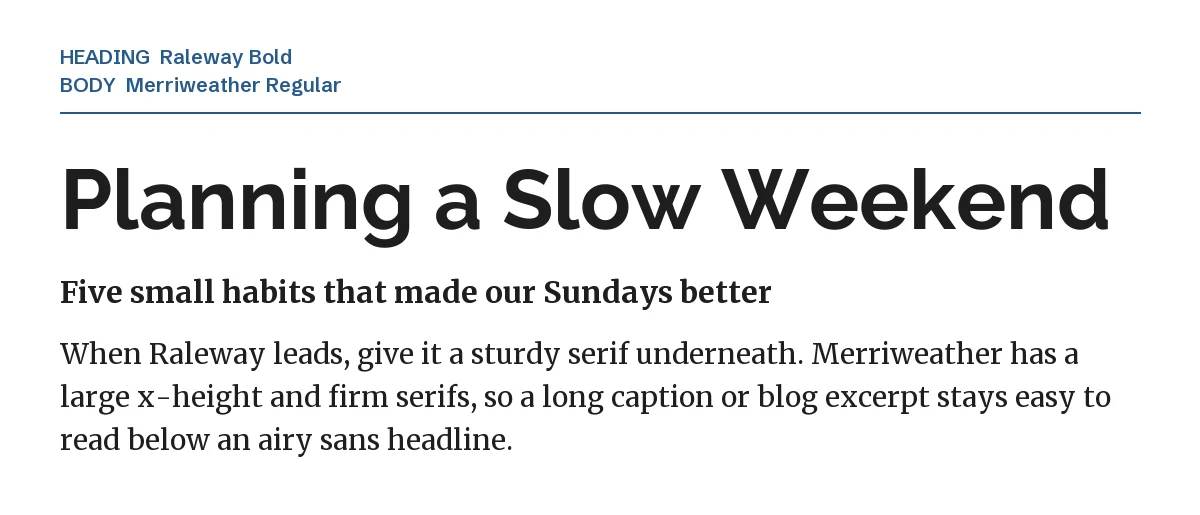
Flip the roles and Raleway needs a body font with more weight. Merriweather has a large x-height and firm serifs, so it stays readable at small sizes and gives the design a solid base under an airy sans headline. Use it for blog header graphics, carousel posts with a lot of text, and newsletter templates. See our Merriweather page.
3. Cormorant Garamond + Raleway: soft and quiet
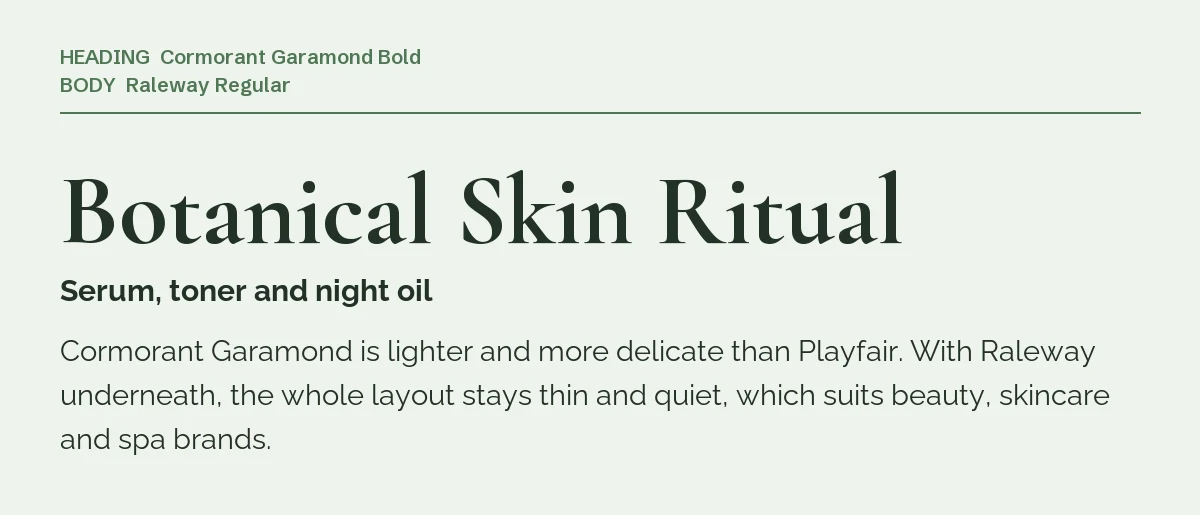
Cormorant Garamond is lighter and more delicate than Playfair. Pair it with Raleway and the whole layout stays thin and calm. That quiet look suits skincare, beauty, candle and spa brands, where a loud headline would feel wrong.
One caution: both fonts are light, so give the design enough contrast in color and size. Dark text on a pale background, and a headline at least three times the body size. Read more on the Cormorant Garamond page.
4. Raleway + Libre Baskerville: calm and editorial
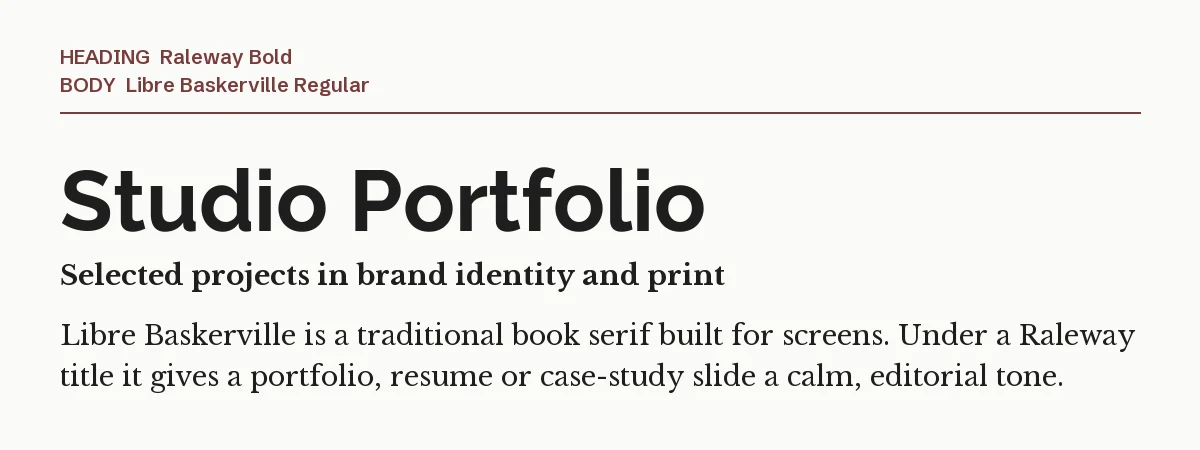
Libre Baskerville is a traditional book serif adapted for screens. Under a Raleway title, it gives portfolios, resumes and case-study slides a composed, editorial tone. It is a good choice when you want the design to look considered rather than trendy. See our Libre Baskerville page.
5. Raleway + Caveat: a personal note
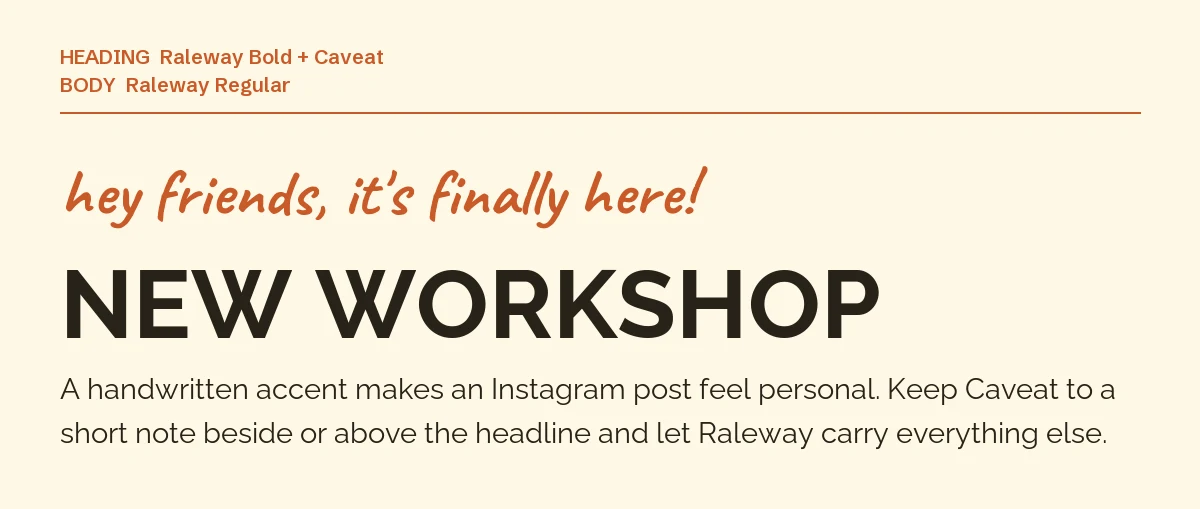
Caveat looks like quick marker handwriting. As a short accent line above a Raleway headline, it makes an Instagram post feel like it came from a person rather than a brand. Keep the handwriting to one short line. Once it runs longer than that, it gets hard to read.
6. Raleway + Great Vibes: wedding and invitation cards
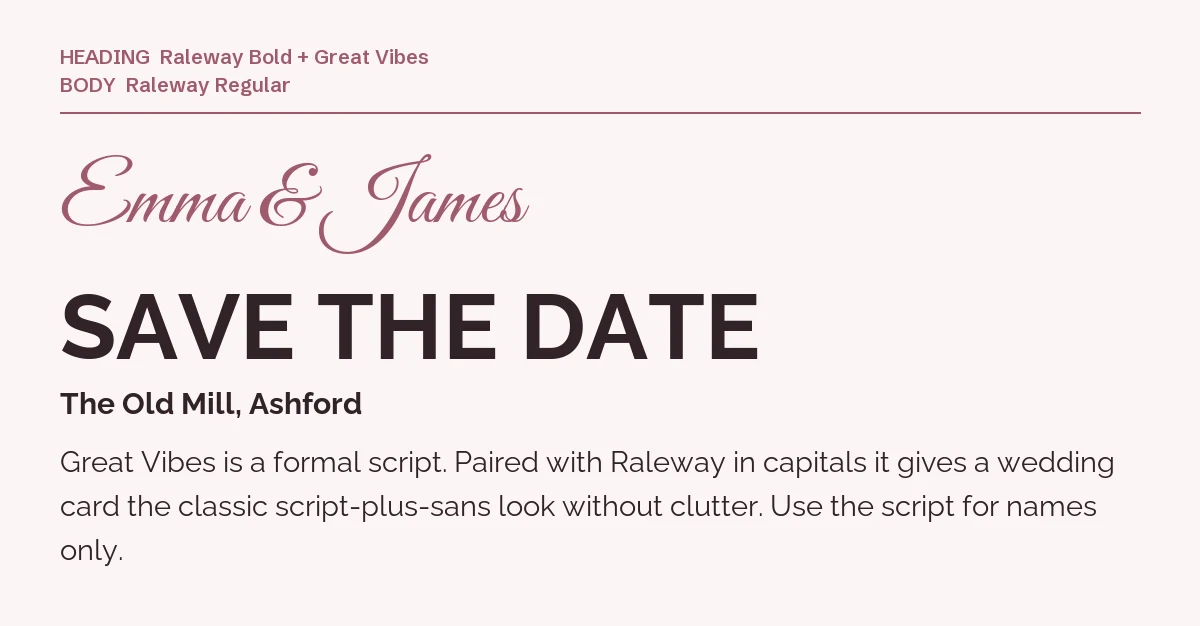
Great Vibes is a formal connected script. Use it for the couple’s names or one short phrase, and set everything else in Raleway capitals. The combination gives the familiar script-plus-sans wedding look. Remember the number trap: if your card includes a date, check how Raleway’s digits look, or set the date in a different font. More on the script at our Great Vibes page.
A pairing to avoid: Raleway + Quicksand

Quicksand and Raleway are both light, rounded, geometric-leaning sans serifs. Together they have no contrast, so the headline and the details read as one voice. If you like Quicksand’s friendly shape, use it instead of Raleway and pair it with a serif. See our Quicksand page.
Premium alternatives to Raleway
If Raleway feels too familiar for a brand you are building, these two premium sans serifs from Creative Market fill the same light, elegant role. You need Canva Pro to upload them, and you should check each product’s license terms before using them in Canva.
| Font | Designer | Price (standard license) | Notes from the product page |
|---|---|---|---|
| Clio | Harmonais Visual | $18 | “Clean display sans”; an italic was added in a 2022 update |
| Aurora | Misha Sova | $28 | “Elegant & modern sans serif”; Regular, Semibold, Bold and a Round version |
Prices were read from the Creative Market product pages on 19 September 2026 and may change. Before you commit, type a price or date in the preview: like Raleway, some elegant sans serifs use unusual numbers.
More Canva pairing guides
- Cormorant Garamond font pairings for Canva: six partners for a delicate luxury serif, and the size it needs to stay readable
- Libre Baskerville font pairings for Canva: six partners for a book serif that carries body text, not headlines
- Poppins font pairings for Canva: six partners for a geometric sans, from Playfair Display to Inter
Frequently asked questions
Is Raleway good for body text?
At larger sizes and in short blocks, yes. For long text on small screens, a medium weight reads better than regular, or you can use Raleway only for headlines and pair it with a serif like Merriweather.
Why do Raleway numbers look uneven?
Raleway uses old-style numbers by default, so some digits drop below the baseline. That is a design choice, not a bug. Use an app that supports the lnum feature, or set numbers in your partner font.
Can I use Raleway commercially?
Yes. Raleway is licensed under the SIL Open Font License, which allows commercial use, logos and products for sale without attribution. Details are on our Raleway page.
What is the most popular font to pair with Raleway?
There is no single answer. When Raleway is the headline, serifs like Merriweather come up often in pairing guides; when Raleway is the body text, Playfair Display is a common choice.

Leave a Reply