
Quick answer: Pair Anton with Roboto for sports scores and schedules, DM Sans for promotional posts, or Barlow for information-heavy posters in Canva. Keep Anton on the headline and give the smaller details to the second font.
Anton is Vernon Adams’s heavy display sans with only one weight. A smaller line set in Anton still looks heavy, so use the partner font to create hierarchy instead of applying a synthetic Bold effect. The six free, OFL-licensed combinations below are shown in Canva-style layouts.
Anton font pairings for Canva at a glance
| Pair Anton with | Use each font for | Works best for |
|---|---|---|
| Roboto | Anton: headline; Roboto: scores and details | Sports, schedules, designs with numbers |
| DM Sans | Anton: headline; DM Sans: offer and supporting text | Promo posts, thumbnails, story ads |
| Barlow | Anton: headline; Barlow: event information | Posters and flyers with a lot of detail |
| Lora | Anton: headline; Lora: body text | Magazine covers, blog graphics, editorial layouts |
| Libre Baskerville | Anton: headline; Libre Baskerville: body text | News, documentary and report graphics |
| Permanent Marker | Anton: headline; Permanent Marker: one accent word; Roboto: details | Yard-sale flyers and price tags |
Try this in Canva: Put a short Anton headline over DM Sans Regular offer details on a square promo graphic. Start with the headline roughly three times the detail size. Anton has one native weight, so adjust size and spacing rather than pressing Bold.
The one-weight problem
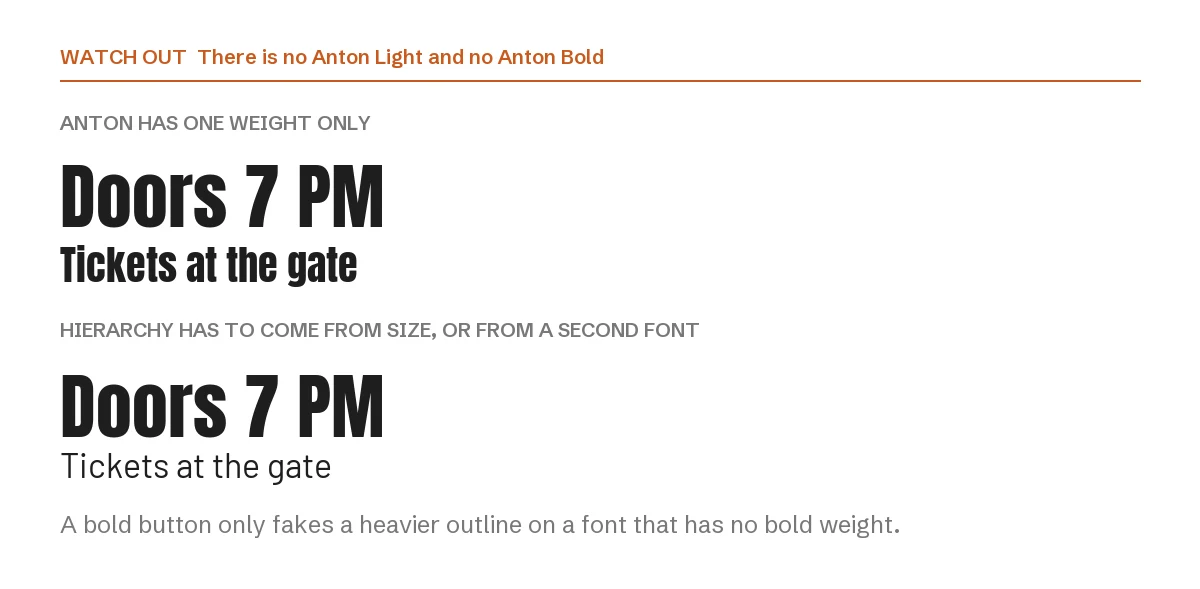
In the top example, both lines are Anton. Shrinking the second line helps, but the page still reads as one solid block, because the weight never changes. In the lower example the detail line moves to Barlow and the hierarchy appears immediately.
This is also why the bold button does nothing useful with Anton. There is no bold file to switch to, so a design tool can only fake a thicker outline, which makes the letters muddy at large sizes. If you need a heavier look, make the type bigger, not bolder.
1. Anton + Roboto
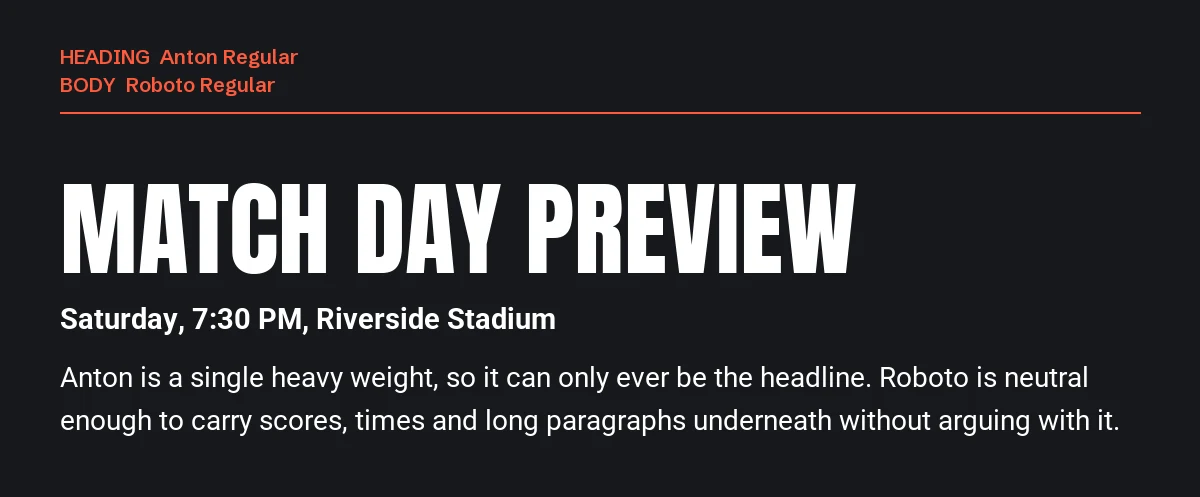
Roboto is the most neutral partner on this list, and neutral is what a loud headline needs. It handles numbers well, stays readable at caption size and never competes for attention.
Use it when the design contains data: scores, times, prices, specifications, schedules. It is also the safest choice for a design that will be resized from a story to a banner, because Roboto holds up at both ends.
2. Anton + DM Sans
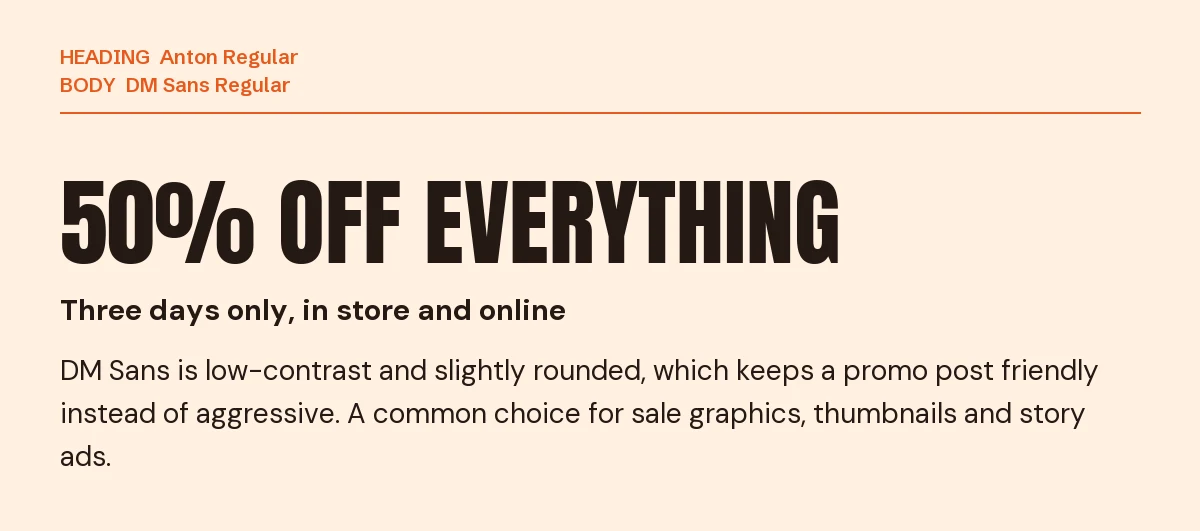
DM Sans has low contrast and gently rounded terminals, which softens a design that would otherwise feel like shouting. It is the marketing pairing: sale graphics, discount codes, thumbnails, product launches.
Keep DM Sans at regular weight under the headline. Its bold is close enough in colour to Anton that using both flattens the contrast you just built.
3. Anton + Barlow
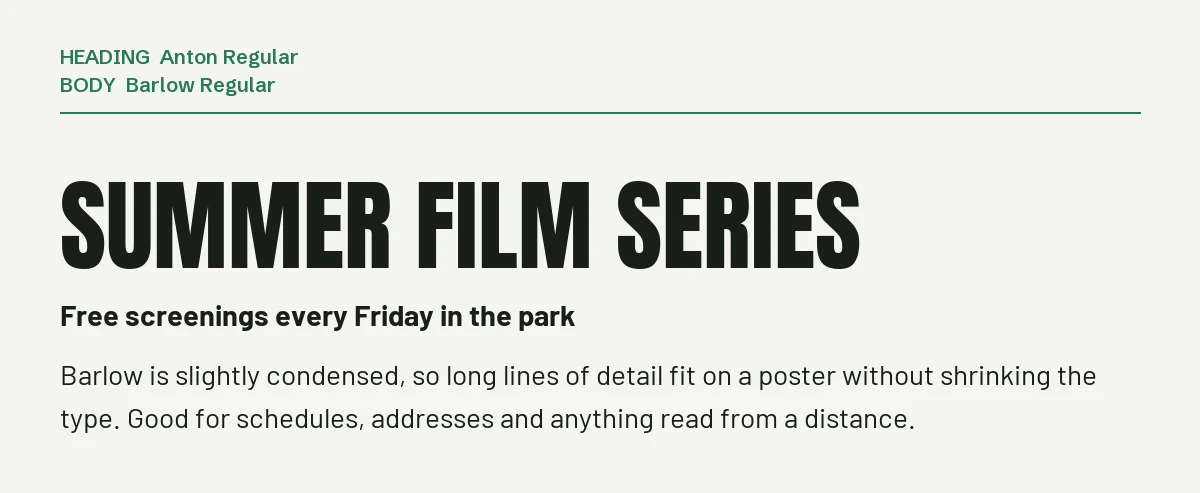
Barlow is slightly narrowed, so long lines of detail fit on a poster without shrinking the type to nothing. Dates, venue addresses, ticket prices, sponsor lists: all the small print an event flyer has to carry.
It also shares Anton’s compact feel, which keeps the poster looking designed rather than assembled from two unrelated fonts.
4. Anton + Lora
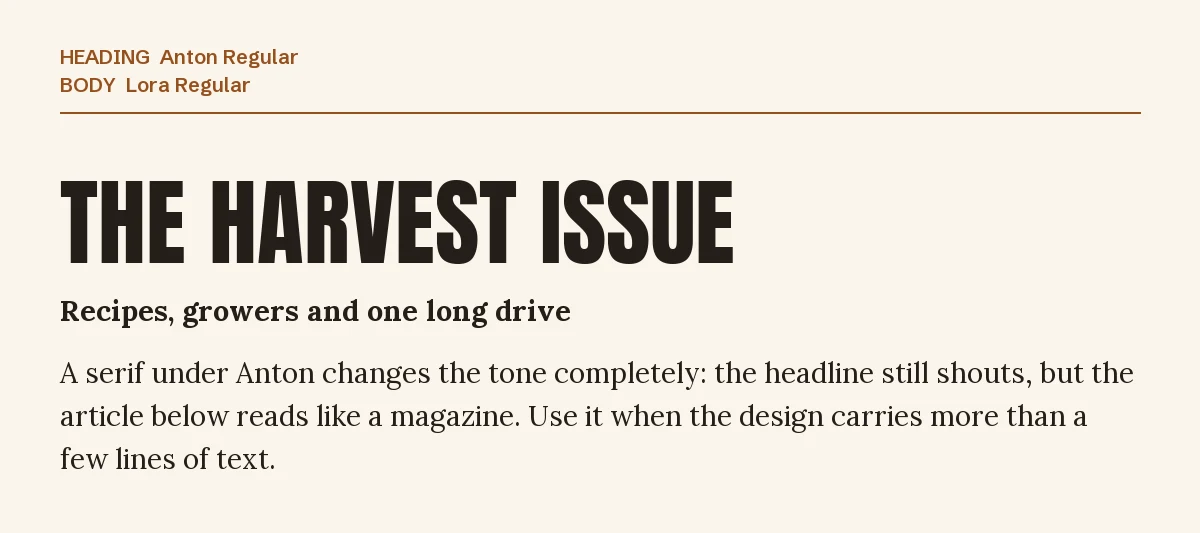
Putting a serif under Anton changes the tone completely. The headline still shouts, but the paragraph below reads like a magazine article instead of an advertisement.
Lora’s brushed curves add warmth, which suits food, travel, craft and community content. For more on where Lora works, see our Lora font page.
5. Anton + Libre Baskerville
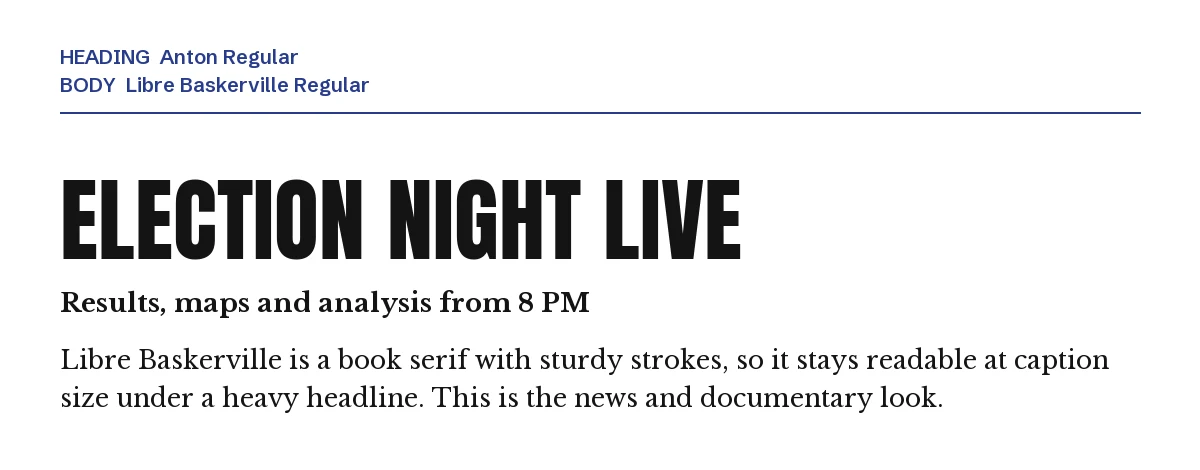
Libre Baskerville is a book serif with sturdy strokes and a large lowercase, so it stays clear at caption size under a black headline. The result is the news and documentary look: serious, printed, factual.
It sets wider than Lora, so give it more room or drop a point; the details are on our Libre Baskerville font page.
6. Anton + Permanent Marker
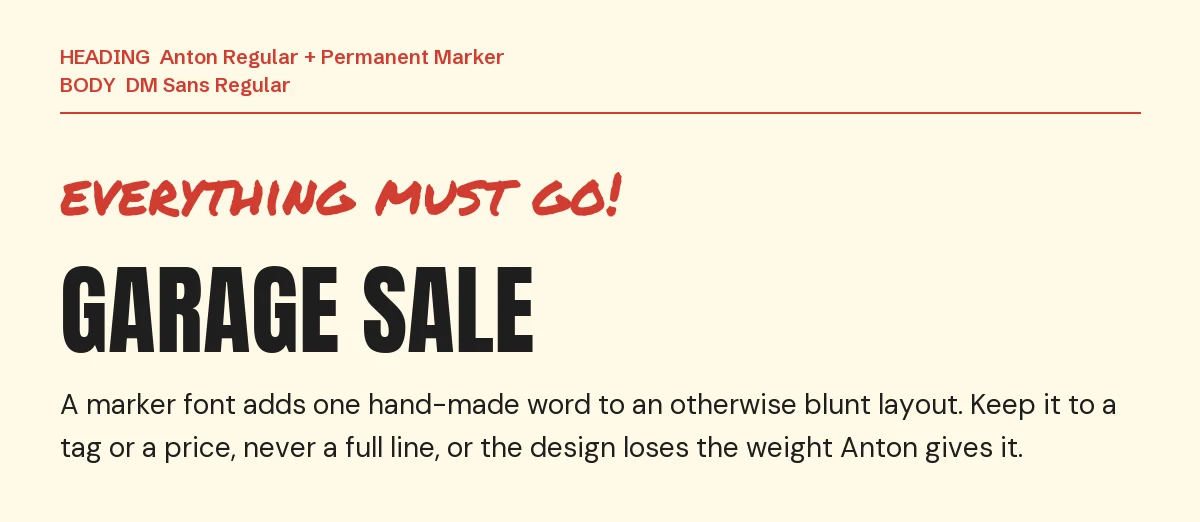
A marker font is an accent, not a second headline. One line above the title, a price tag, a “new” sticker: that is the whole job. Permanent Marker is rough enough to read as handwriting even next to Anton’s solid black.
Keep the layout to three roles, as here: accent, headline, details. A fourth font makes a flyer look like a ransom note.
One pairing to avoid: Archivo Black
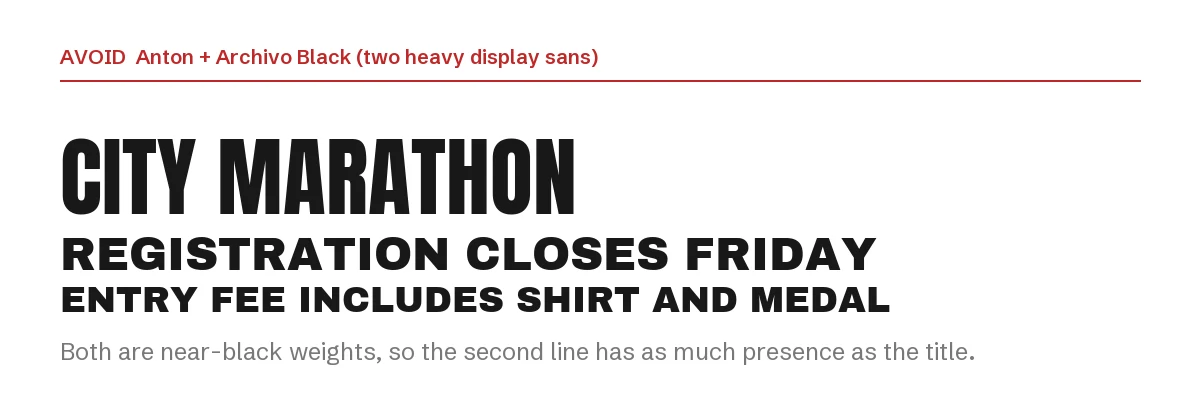
Archivo Black, Bebas Neue, Oswald Bold and Anton all live in the same corner of the type world: heavy, upright, attention-seeking. Combine any two and the second line carries as much weight as the title, so the eye has nowhere to land first.
If you like a different heavy face better, use it instead of Anton, not with it. Oswald in particular is a common substitution, and we cover its partners in the Oswald Canva pairing guide.
How to set the pairing in Canva
- Step 1: Add a heading text box, search Anton and type in capitals or sentence case. Anton was drawn for headlines, so give it the largest text box in the design.
- Step 2: Add a separate text box for the details and search for the partner font by name.
- Step 3: Set the body text at roughly a quarter to a third of the headline size, and leave the headline at its single available weight.
- Step 4: If a font does not appear in your font menu, it is not in your Canva library. On Canva Pro you can upload the files through Brand Kit → Brand fonts; all six fonts here are open source, so uploading is allowed. Anton and its license file are on our Anton font page.
If you want a heavy headline that is not Anton
Because Anton is free, fast to reach and available everywhere, a design that uses it looks like a hundred others. These two premium display sans faces from Creative Market fill the same role. Both need Canva Pro to upload through Brand Kit, and their license terms are on the product pages.
| Font | Designer | Price (standard license) | Why consider it |
|---|---|---|---|
| Sugra | Typoraith Co | $17 | A single chunky weight with rounded corners; friendlier than Anton at the same visual size, in OTF, TTF and WOFF |
| SLTF Curo | SilverStag Type Foundry | $49 | Five cuts, from sharp to rounded, so one heavy family covers several designs |
Prices were read from the Creative Market product pages on 23 September 2026 and may change.
The pairing rules stay the same: one heavy face per design, one calm partner underneath.
More Canva pairing guides
- Oswald font pairings for Canva: six partners for a condensed headline font, from Merriweather to a script accent
- Libre Baskerville font pairings for Canva: six partners for a book serif that carries body text, not headlines
- Poppins font pairings for Canva: six partners for a geometric sans, from Playfair Display to Inter
Frequently asked questions
Can I use Anton commercially in Canva?
Yes. Anton is under the SIL Open Font License, which allows commercial use including logos, merchandise and client work, with no attribution required. The license details are on our Anton font page.
Why does Anton look wrong when I make it bold?
Because there is no bold file. The bold button applies a synthetic thickening to a font that is already very heavy, which thickens the strokes into the counters and makes letters like a, e and s fill in.
What font goes with Anton for a YouTube thumbnail?
DM Sans or Roboto. Thumbnails are read at about 300 pixels wide, so the second font must be plain and set large; a serif or a script will disappear.
Is Anton the same as Oswald?
No, though they are often confused. Both are condensed, but Anton is much heavier and has a single weight, while Oswald ships in several weights and is narrower. Anton is a headline; Oswald can carry subheadings too.
How many fonts should one Canva design use?
Two, in most cases. A third only earns its place when it has a separate job, like the marker accent in pairing six. Our other guides cover Poppins and Raleway pairings the same way.
Leave a Reply