
Quick answer: For an Archivo Black font pairing in Canva, start with Archivo for a cohesive look, Inter for clear product graphics, or Crimson Text for editorial contrast. Keep Archivo Black on the headline and let its partner handle smaller text.
Archivo Black is a heavy, wide grotesque that fills a headline with solid black. It comes from Omnibus-Type, the foundry behind the Archivo family, and is free on Google Fonts under the SIL Open Font License.
It ships as a single weight and it is built for impact, so it is almost always the headline. That makes every Archivo Black font pairing in Canva a question of what goes underneath: something quiet enough to read, but with enough character that the design does not feel cold.
Each Archivo Black font pairing below is shown in a layout you might build in Canva: an art-studio poster, a product update, a tech event, a magazine feature, a food guide and a summer camp flyer. Every partner is a free Google Font under the same open license.
Archivo Black font pairing ideas at a glance
| Pair Archivo Black with | Type | Works best for |
|---|---|---|
| Archivo | Same-family sans | Posters, studios, any all-round design |
| Inter | Screen sans | Product updates, tech slides, app graphics |
| Space Grotesk | Quirky grotesque | Tech events, conferences, data content |
| Crimson Text | Classic text serif | Magazine features, long reads |
| Karla | Friendly grotesque | Food, lifestyle, how-to content |
| Satisfy | Brush script accent | Summer and travel flyers, one phrase |
Archivo Black in Canva takes up more room than you expect
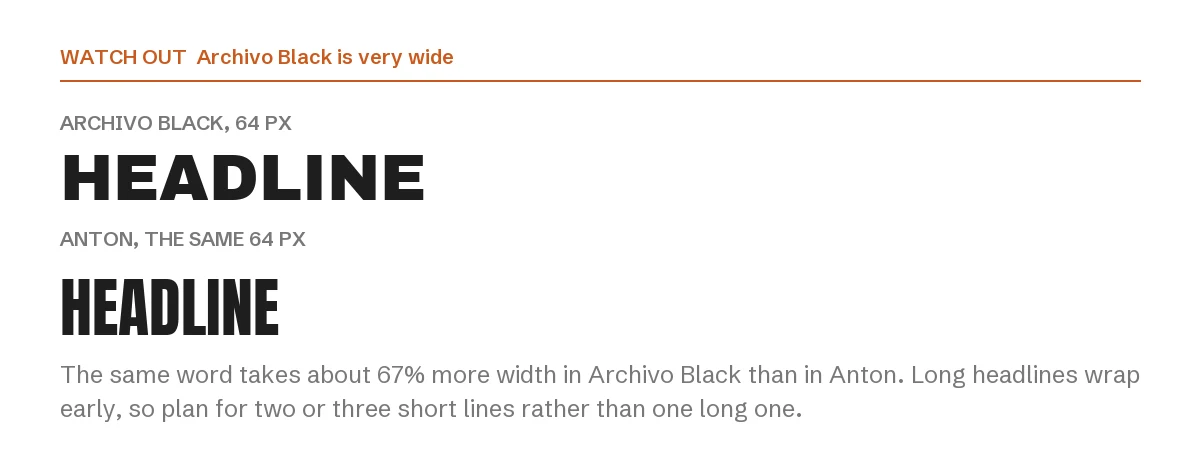
Archivo Black is wide. At the same font size, the same word takes about 67 percent more width than in Anton, and slightly more than Montserrat Bold. A headline that fits on one line in another heavy font will wrap in Archivo Black.
Plan for two or three short lines rather than one long one, and keep headlines to a few words. Its width is what makes it look solid, so shrinking it to force a fit loses the effect.
1. Archivo Black + Archivo
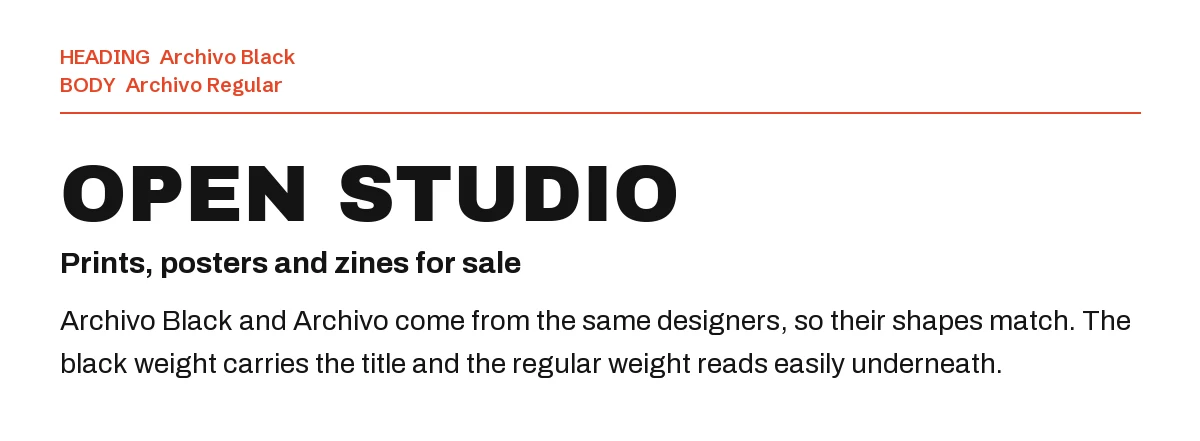
The most natural partner is its own family. Archivo comes from the same designers, so the letter shapes match, and the regular weight reads easily under the black headline.
When in doubt, start here. It never looks like two fonts fighting.
2. Archivo Black + Inter
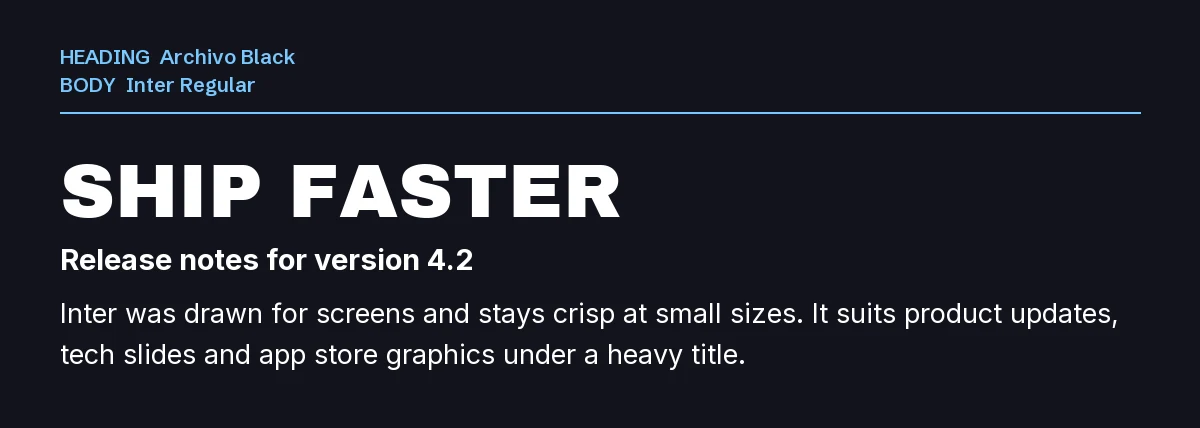
Inter was drawn for screens and stays crisp at small sizes. It suits product updates, release notes, app store graphics and anything that should feel technical but clear.
Use Inter Regular for text and its semi-bold weight for small labels.
3. Archivo Black + Space Grotesk
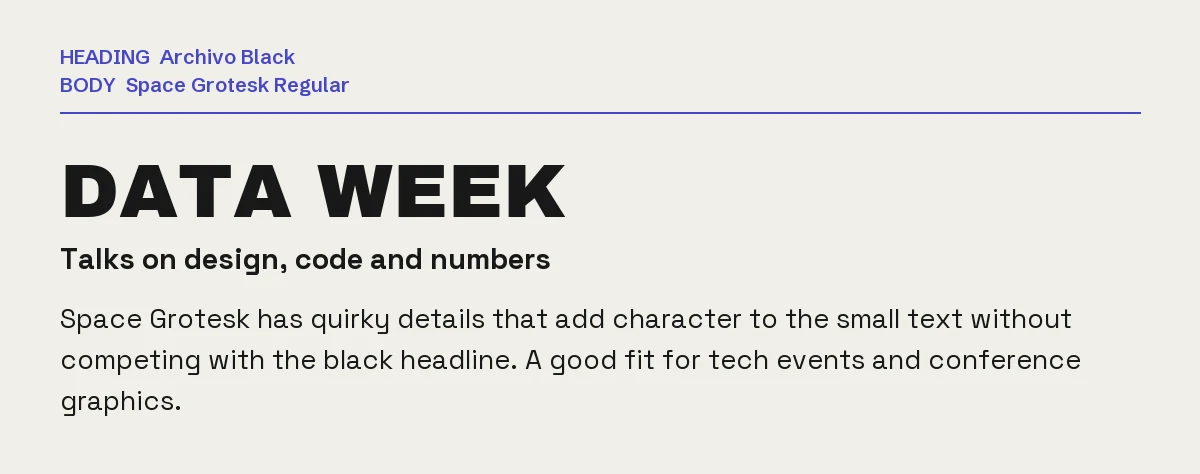
Space Grotesk has quirky details that add character to the small text without competing with the headline. It is a good fit for tech events, conference graphics and data stories.
4. Archivo Black + Crimson Text
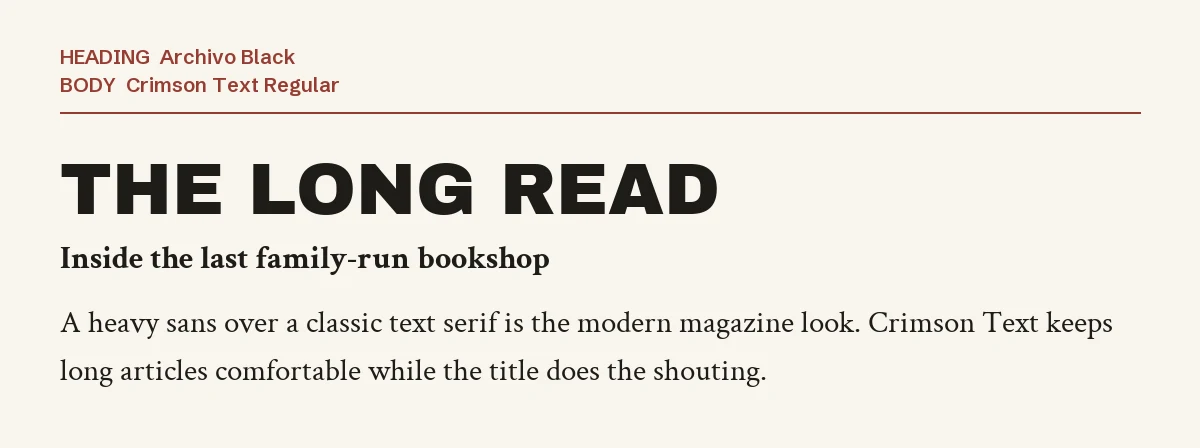
A heavy sans over a classic text serif is the modern magazine look. Crimson Text keeps long articles comfortable to read while the headline does the shouting.
It suits features, interviews and carousel posts with several paragraphs.
5. Archivo Black + Karla
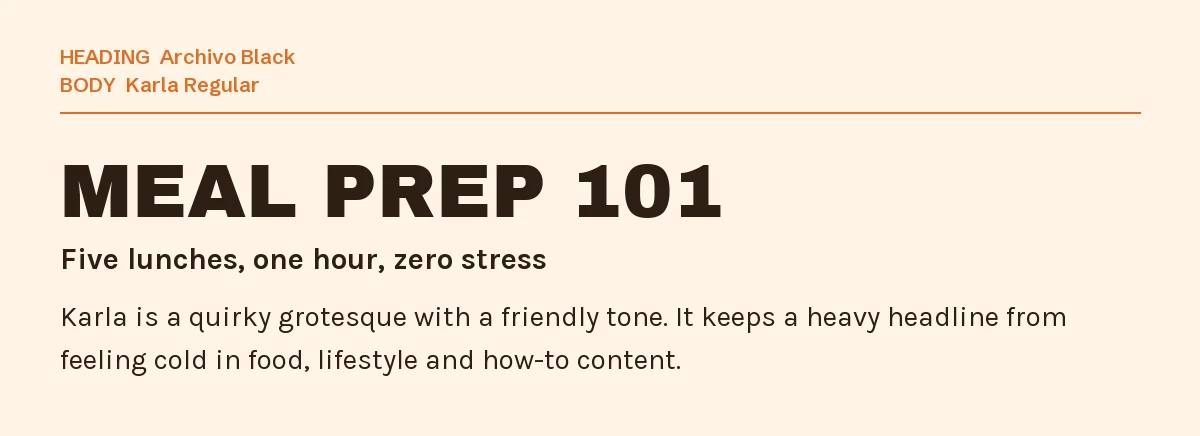
Karla is a grotesque with a friendly tone. It stops a heavy headline from feeling cold, which matters in food, lifestyle and how-to content where the reader should feel welcome.
6. Archivo Black + Satisfy
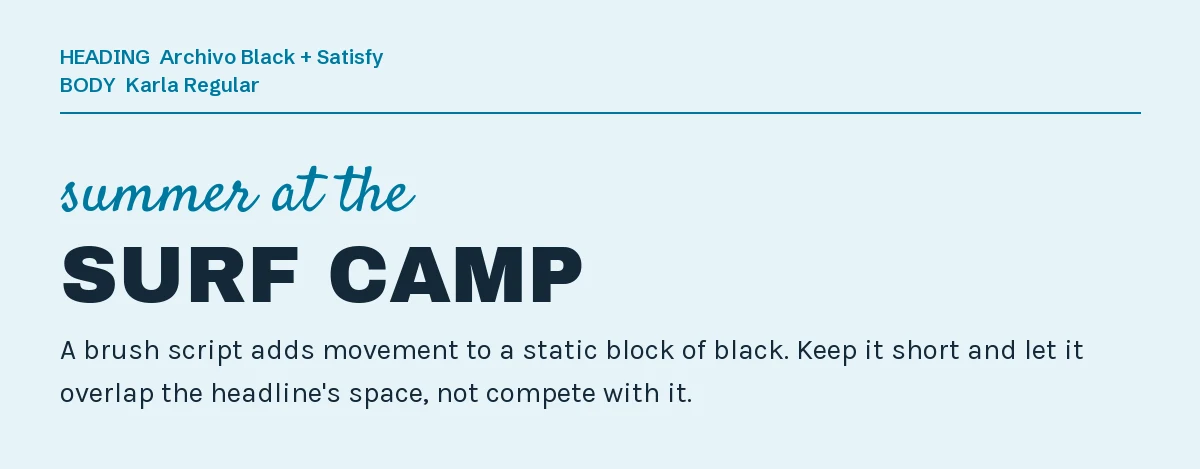
A brush script adds movement to a static block of black. Satisfy is relaxed and easy to read, so it works for summer, travel and outdoor events.
Keep it to a short phrase above or across the headline. One accent is plenty.
One pairing to avoid: Anton
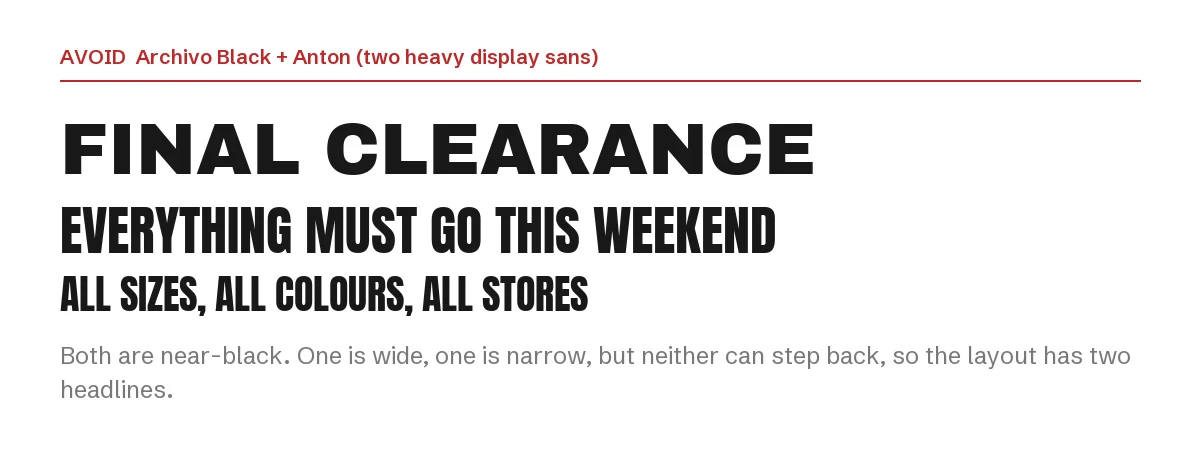
Archivo Black is wide and Anton is narrow, but both are near-black display faces. Neither can step back, so the layout ends up with two headlines and no reading text.
If you like Anton better, use it instead of Archivo Black; our Anton Canva pairing guide covers its partners.
How to set up an Archivo Black font pairing in Canva
- Step 1: Add a heading text box, search Archivo Black and keep the headline to a few words. Break long titles into two or three lines.
- Step 2: Add a separate text box for everything else and search for the partner font by name.
- Step 3: Leave the headline at its single weight; for a lighter subheading, use Archivo in a regular or medium weight.
- Step 4: Search for each font in your Canva font menu first. If it is missing, get the font from Google Fonts and upload its TTF file on a plan that supports custom fonts, such as Canva Pro. Canva Free does not support custom font uploads. Check Canva’s font-upload requirements before importing.
If you want a heavy headline that is not Archivo Black
Archivo Black is free and widely used. If you want the same weight with more personality, these two premium display sans fonts from Creative Market are worth considering. If a font is not in your Canva library, using it there requires a plan with custom-font uploads and a license that permits embedding. Check the product license and Canva’s upload rules before buying.
| Font | Designer | Price (standard license) | Why consider it |
|---|---|---|---|
| BRUT | BilberryCreates | $21 | A heavy, blocky display sans with playful details, built for big words |
| Portside | Daniel Neuman | $29 | An all-caps industrial display face with a hand-drawn, vintage finish |
Prices were read from the Creative Market product pages on 3 October 2026 and may change.
The Archivo Black font pairing rule does not change: one heavy face for the headline, one calm partner underneath.
Frequently asked questions
Can I use Archivo Black commercially in Canva?
Yes. Archivo Black is under the SIL Open Font License, which allows commercial use including logos, merchandise and client work. You may not sell the font files themselves.
Is Archivo Black the same as Archivo?
They are related. Archivo Black is a single heavy weight; Archivo is the main family with regular and bold weights, from the same foundry. That is why they pair so well.
Why does my Archivo Black headline wrap onto two lines?
Because it is a wide font. The same word takes much more space than in condensed fonts like Anton, so long headlines wrap sooner.
What font goes with Archivo Black for a YouTube thumbnail?
For an Archivo Black font pairing on a thumbnail, use Inter or Archivo in a bold weight. Thumbnails are read small, so the second line needs a plain, sturdy sans.
How many fonts should one Canva design use?
Two in most cases, three when the third has a separate job, like the script in pairing six. We cover Bebas Neue and other popular Canva fonts the same way.
Leave a Reply