
Libre Baskerville is the unusual case in the Canva font menu: a serif drawn to be read, not to be admired. Pablo Impallari based it on the 1941 American Type Founders Baskerville and then widened it, raised the lowercase and thickened the thin strokes so it would survive a screen. That one decision shapes every pairing below.
That makes it the opposite of the elegant serifs most Canva users reach for. It is not a headline face, and forcing it into one wastes what it is good at. In almost every Libre Baskerville font pairing in Canva that works, the serif carries the body text while something else takes the title.
The six pairings below are shown in layouts you might actually build in Canva: a zine cover, a case study, a programme, an ebook cover, an annual report and an invitation. Every font here is a free Google Font under the SIL Open Font License.
The six Libre Baskerville pairings in Canva, in short
| Pair Libre Baskerville with | Type | Works best for |
|---|---|---|
| League Spartan | Geometric sans, wide caps | Zines, posters, bold editorial covers |
| Work Sans | Plain screen sans | Case studies, portfolios, proposals |
| Montserrat | Wide geometric sans | Flyers and programmes |
| Raleway | Light narrow sans | Personal brands, newsletters, ebook covers |
| Libre Franklin | Sibling grotesque | Reports, tables, documents with many levels |
| Great Vibes | Formal script accent | Invitations, one line only |
It takes more room than you expect

Both lines above are set at the same size. Libre Baskerville has a tall lowercase and wide letters, so it fills noticeably more space than Lora, Merriweather or Playfair Display at the same point value.
In practice: when you swap another serif for Libre Baskerville in an existing Canva template, the text box overflows or the layout reflows. Drop one or two points, and give the paragraph a little more line spacing than the default, around 1.4 to 1.5, so the long ascenders do not collide.
1. Libre Baskerville + League Spartan
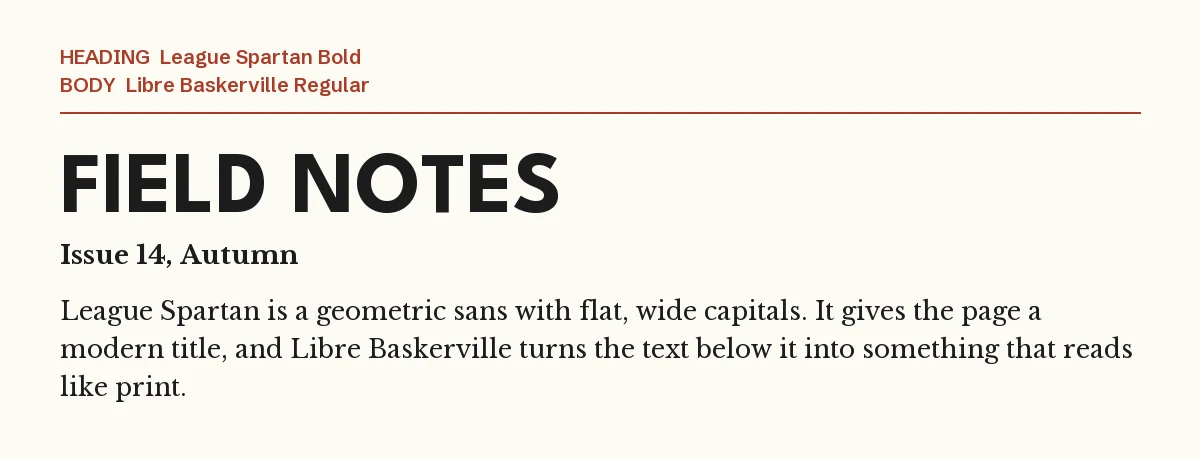
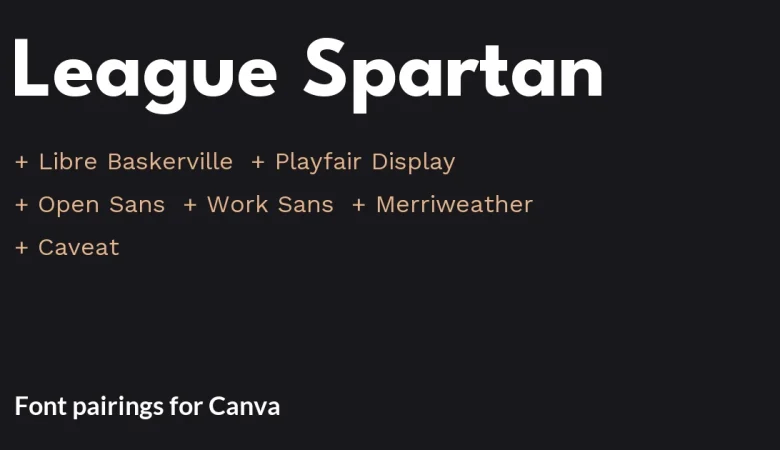
League Spartan is geometric, flat-sided and very wide in its capitals, which is about as far from a Baskerville as a sans can get. Set the title in capitals, keep it short, and let the serif below do the reading.
This is the zine and independent-magazine look: a blunt modern title over text that feels printed. It also scales down well to a carousel post, because both fonts stay clear at small sizes.
2. Libre Baskerville + Work Sans
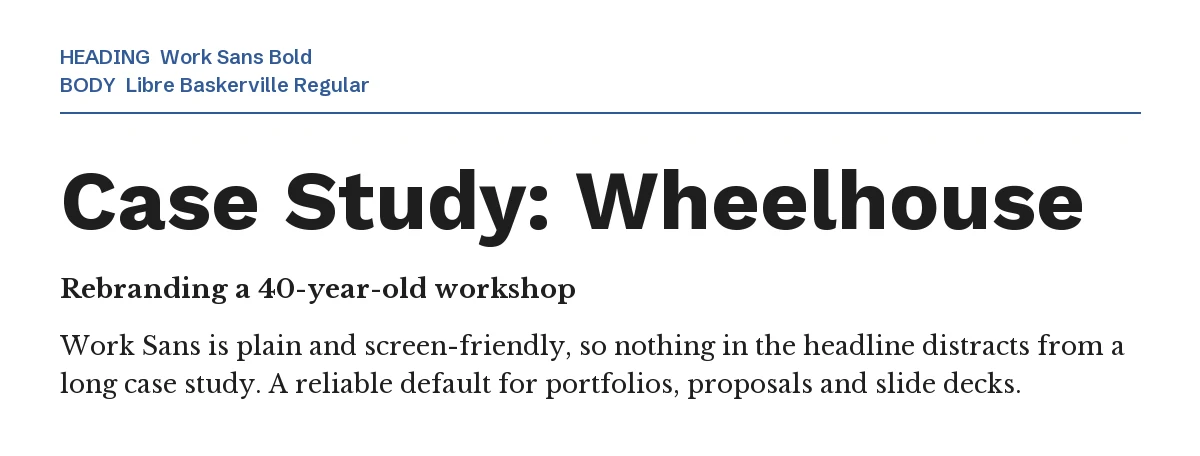
Work Sans is the plainest useful sans in the Google library, drawn for exactly the middle sizes that headings and subheadings occupy. Nothing about it distracts, which is what a long case study needs.
Use this pair for portfolios, project write-ups, proposals and slide decks: documents where somebody has to read several hundred words and then find the next heading.
3. Libre Baskerville + Montserrat

Montserrat’s wide, even capitals give a flyer the loudest title on this list without any decoration. Underneath, Libre Baskerville turns the schedule and description into something people actually read instead of skim.
It suits printed matter more than feeds: programmes, menus of talks, gallery handouts, community notices.
4. Libre Baskerville + Raleway
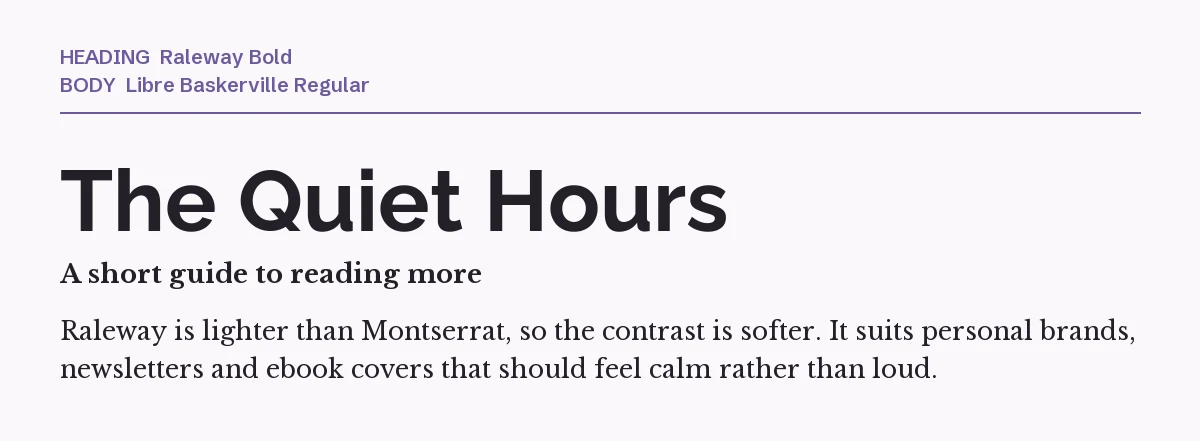
Raleway is lighter and narrower than Montserrat, so the contrast between title and text is gentler. Choose it when the design should feel calm: a personal newsletter, an ebook cover, a coaching or therapy brand.
Watch the numbers. Raleway’s defaults are old-style, so figures in a date or price sit below the line; our Raleway Canva pairing guide shows what that looks like and how to work around it.
5. Libre Baskerville + Libre Franklin
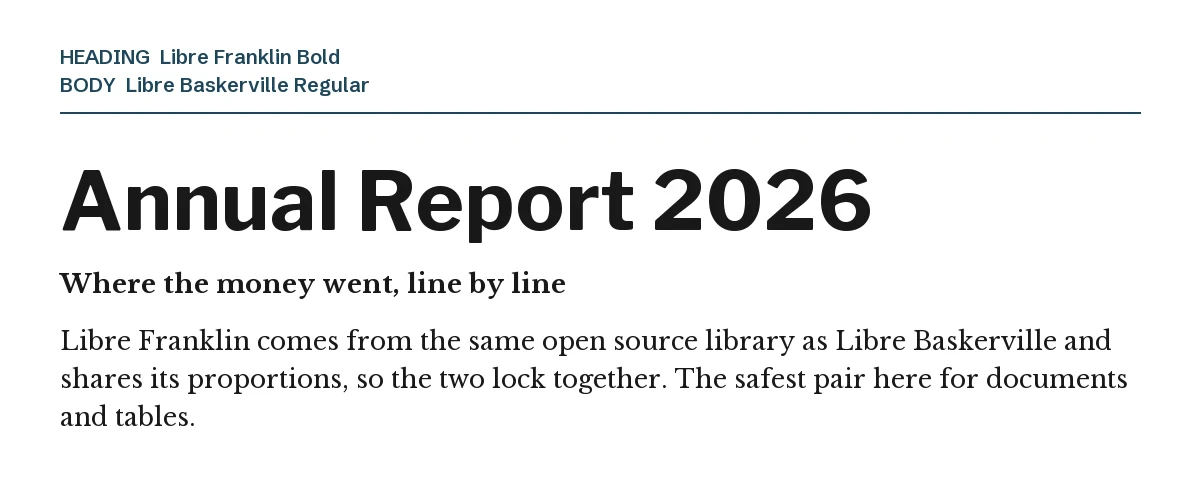
Both families come from Pablo Impallari’s open source workshop and were drawn with the same large, screen-friendly lowercase, so headings and body text lock together without any adjustment. That matters in a document with many levels: section, subsection, table header, caption, footnote.
Because Libre Franklin ships in a full range of weights, you can build four or five levels of hierarchy with two typefaces and nothing else. It is the least decorative pairing here and the most reliable for reports.
6. Libre Baskerville + Great Vibes
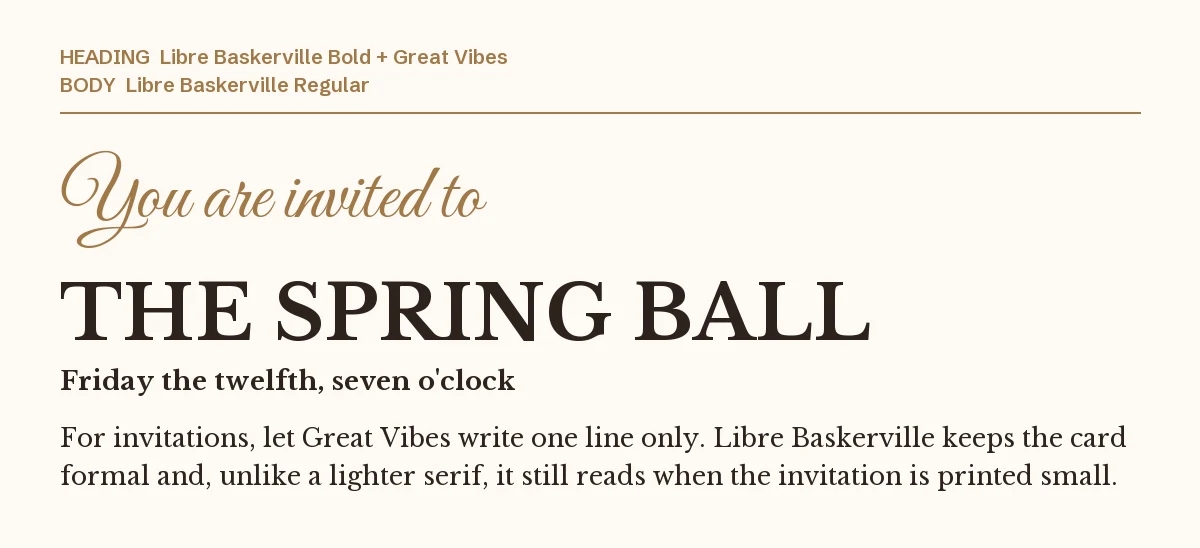
For an invitation, Libre Baskerville can take the main line, as long as a script handles the flourish. Great Vibes writes one line, the serif states the event, and the details stay in the same serif at a smaller size.
The advantage over a delicate serif such as Cormorant Garamond is durability: Libre Baskerville still reads when the card is printed at postcard size or viewed on a phone. The script is on our Great Vibes font page.
One pairing to avoid: Lora
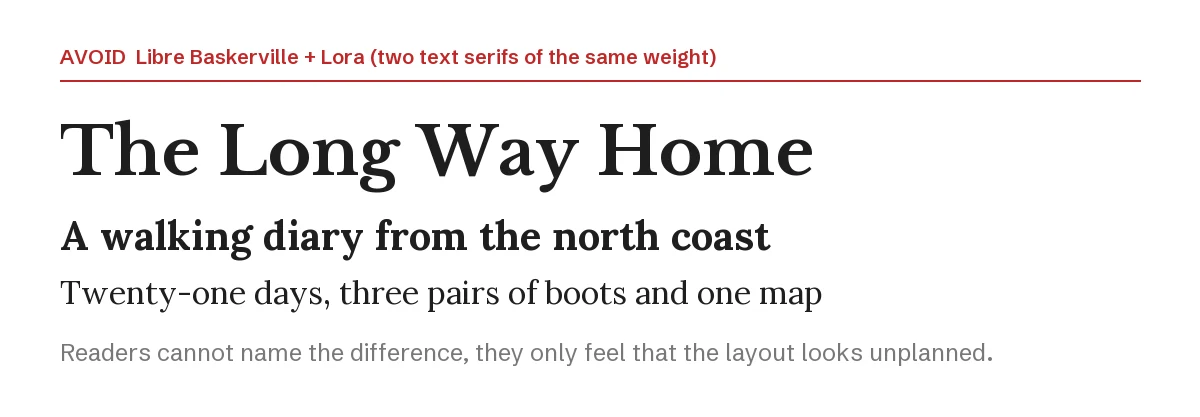
Lora, Merriweather, PT Serif and Libre Baskerville are all workhorse text serifs of roughly the same weight and mood. Put two of them in one design and readers cannot name what is wrong; they only register that the layout looks unplanned.
Keep one text serif per design. If you want a second serif for the title, it has to be a genuine display face such as Playfair Display or DM Serif Display, set much larger.
How to set the pairing in Canva
- Step 1: Add the body text box first, search Libre Baskerville and set it around 14 to 16 points for print or 18 for a slide. Deciding the reading size first stops the design from growing around an oversized title.
- Step 2: Add the heading box above it and search for the partner font by name.
- Step 3: Make the heading roughly two and a half to three times the body size. Libre Baskerville is large for its point size, so a bigger jump than that leaves an awkward gap.
- Step 4: If a font is missing from your font menu, it is not in your Canva library. On Canva Pro you can upload the files through Brand Kit → Brand fonts; every font in this guide is open source, so uploading them is allowed. Libre Baskerville and its license file are on our Libre Baskerville page.
If you want a text serif with more range
Libre Baskerville has three styles in total: regular, italic and bold. That is enough for a flyer and thin for a long document, where you often want a lighter weight for pull quotes or a semibold for subheadings. These two premium serif families from Creative Market solve that. Both need Canva Pro to upload through Brand Kit, and their license terms are on the product pages.
| Font | Designer | Price (standard license) | Why consider it |
|---|---|---|---|
| Behind The Nineties | Casloop Studio | $25 | Twelve fonts across six weights plus two variable fonts, with blunt rounded serifs and a 1970s tone |
| Silver Point | Issam Type | $29 | Thirty-two styles including condensed and text-optimised cuts, for editorial layouts that need several widths |
Prices were read from the Creative Market product pages on 23 September 2026 and may change.
Both can carry headline and body at once, which is the one thing a three-style family cannot do.
More Canva pairing guides
- Cormorant Garamond font pairings for Canva: six partners for a delicate luxury serif, and the size it needs to stay readable
- Anton font pairings for Canva: six partners for a single-weight heavy display sans, and why its bold button does nothing
- Raleway font pairings for Canva: six partners for a thin, elegant sans, plus Raleway’s old-style number trap
Frequently asked questions
Can I use Libre Baskerville commercially in Canva?
Yes. It is published under the SIL Open Font License, which allows commercial use including client work, products for sale and logos, with no attribution required. The license file is on our Libre Baskerville page.
Is Libre Baskerville good for headlines?
It can hold a short title, but its wide, even letters were drawn for reading rather than for impact. For a design that needs a strong headline, pair it with League Spartan or Montserrat and keep the serif for the text.
What is the difference between Libre Baskerville and Baskerville?
Baskerville is the eighteenth-century original, with finer strokes and a smaller lowercase. Libre Baskerville is a free reworking for screens: wider, sturdier and much more readable at small sizes.
Which sans goes with Libre Baskerville for a resume?
Work Sans or Libre Franklin. Both stay neutral at heading size, and Libre Franklin in particular gives you enough weights to separate job titles, dates and descriptions without adding a third font.
How many fonts should one Canva design use?
Two is the working answer: one for headings, one for body. A third is only worth it when it has a clear separate job, like the script in pairing six. Our other guides cover Oswald and Poppins pairings in the same format.
Leave a Reply