
Quick answer: Pair Cormorant Garamond with Montserrat in Canva when you need an elegant heading and clear wedding or brand details. Choose Lato instead when the supporting text is small, as on a menu. Use Great Vibes only for a short accent, with a plain font handling the details.
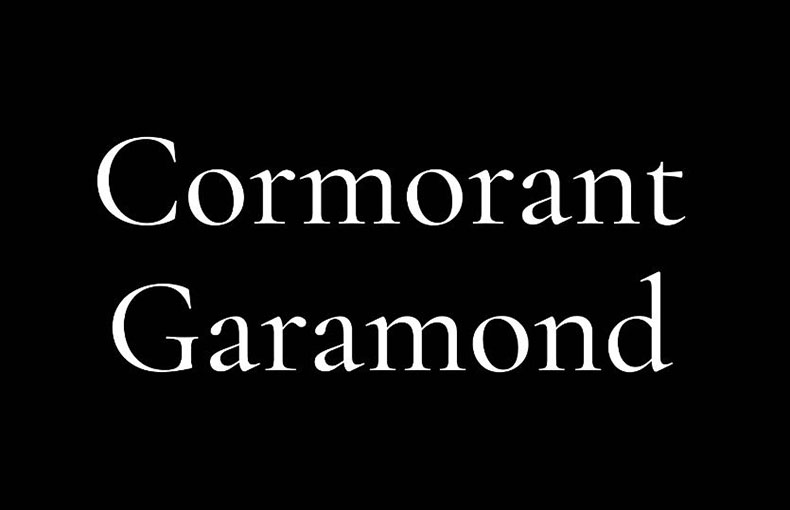
Christian Thalmann drew Cormorant Garamond as a display serif with fine hairlines and a small lowercase. Give it the large headline; let a readable partner carry the text people must read. The six pairings below use free, OFL-licensed fonts and are shown in practical Canva layouts.
Six Cormorant Garamond pairings for Canva, in short
| Pair Cormorant Garamond with | Use each font for | Works best for |
|---|---|---|
| Montserrat | Cormorant Garamond: headline; Montserrat: details | Wedding stationery, luxury branding, packaging |
| Raleway | Cormorant Garamond: headline; Raleway: short supporting text | Skincare, spa, boutique brands with white space |
| Lato | Cormorant Garamond: headline; Lato: small body text | Menus, price lists, event details |
| Josefin Sans | Cormorant Garamond: headline; Josefin Sans: short captions | Fashion, lookbooks, event graphics |
| Work Sans | Cormorant Garamond: headline; Work Sans: body text | Reports, ebooks, proposals |
| Great Vibes | Great Vibes: short accent; Cormorant Garamond: main line; Lato: details | Invitations, names and dates |
Try this in Canva: Set Cormorant Garamond Bold for the names on a wedding announcement and Montserrat Regular for the date and venue. Start with a headline roughly three times the detail size, then check the design at phone size; thin Cormorant strokes may need a larger or heavier setting.
Set it larger than you think
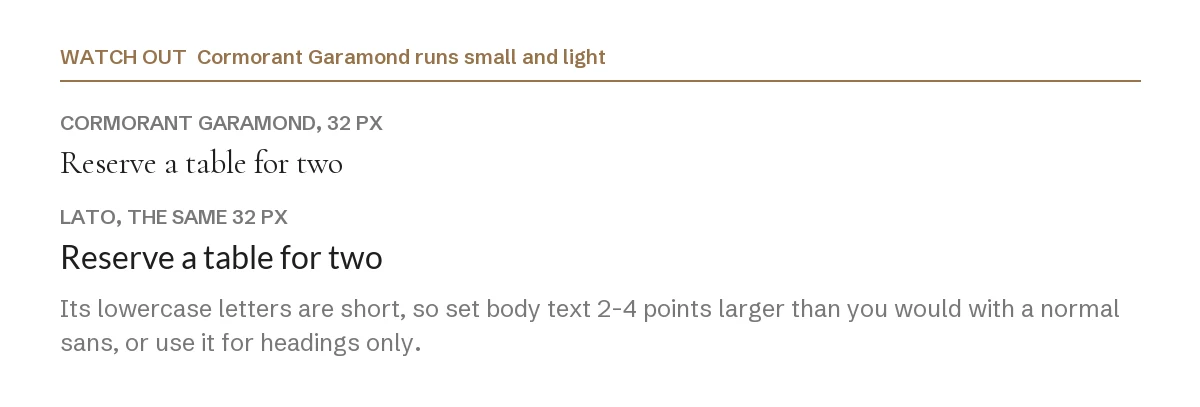
Both lines above are set at the same size. Cormorant Garamond has short lowercase letters and thin strokes, so at any given point size it reads smaller and paler than a normal sans.
Two practical rules follow. First, if you use it for body text at all, add two to four points compared with what you would use for Lato or Montserrat. Second, on a dark background, avoid the light weights entirely: the hairlines break up and the text starts to look blurry on a phone.
1. Cormorant Garamond + Montserrat
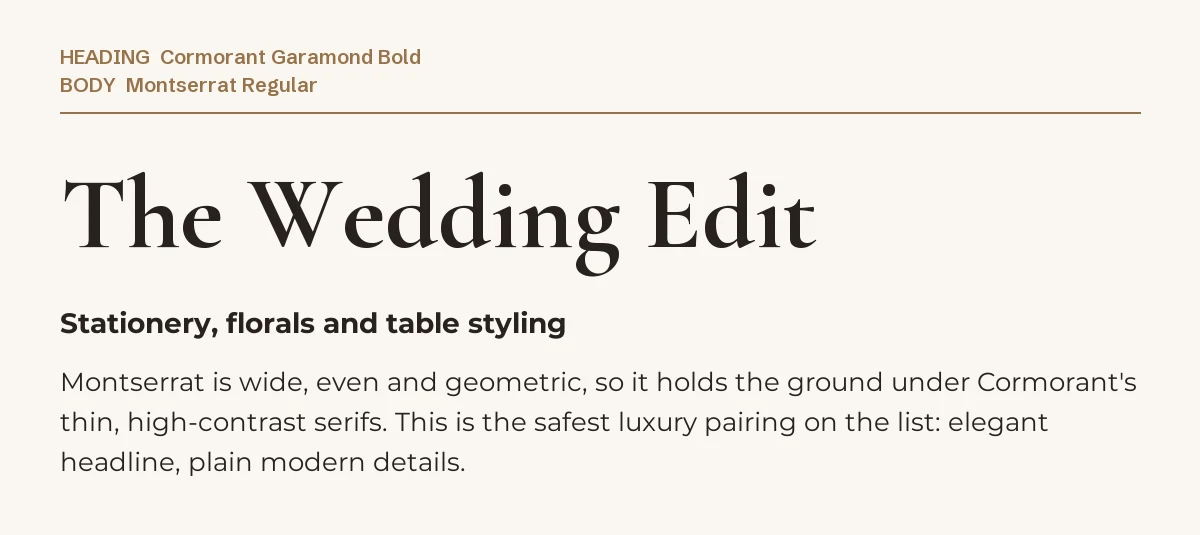
This is the default luxury pairing, and it works because the two fonts disagree about everything: one is a high-contrast serif with narrow proportions, the other a wide, even, geometric sans with almost no contrast at all.
Use it for wedding stationery, jewellery brands, real estate flyers and anything that has to look expensive at a glance. Keep Montserrat at regular weight for body copy, and reserve its bold for small labels such as “RSVP” or a price.
2. Cormorant Garamond + Raleway
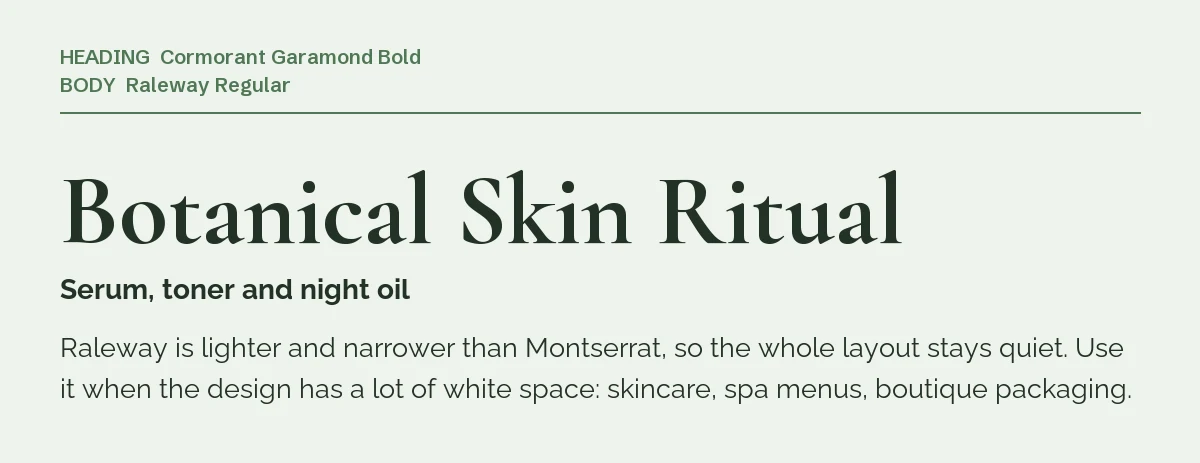
Raleway is narrower and lighter than Montserrat, so the page stays quiet. This is the pairing for designs built on empty space: skincare labels, spa menus, small-batch packaging, calm Instagram grids.
One caution. Raleway’s default numbers are old-style, which means 3, 4, 7 and 9 sit below the line. That looks refined in a date and messy in a price list. There is more on that in our Raleway Canva pairing guide.
3. Cormorant Garamond + Lato
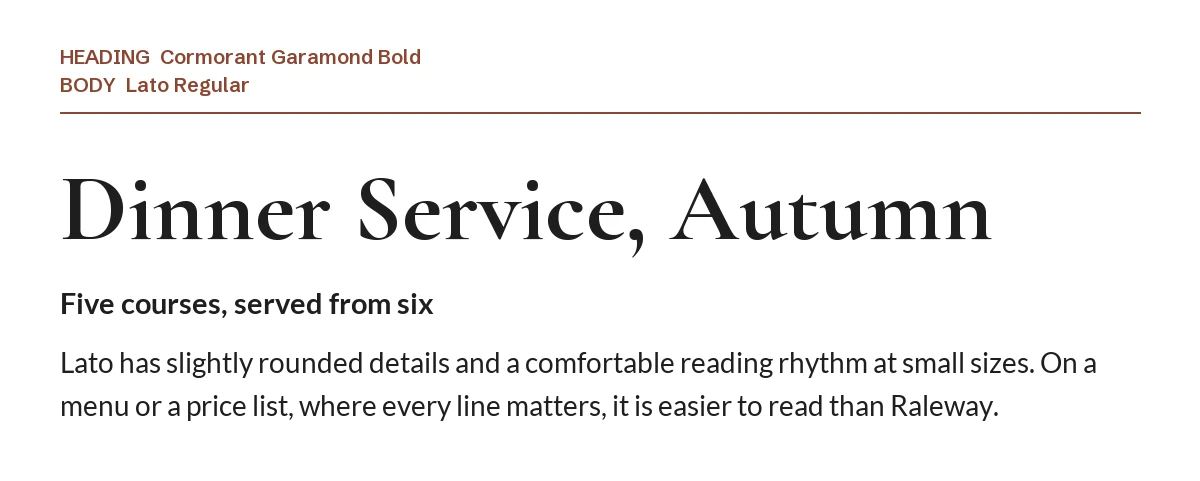
When the small text really has to be read, Lato beats both sans serifs above. Its letters are slightly rounded and its spacing is even, so a list of dishes, prices, times or ingredients survives being printed small or posted as a feed tile.
Restaurant menus, event programmes, service price lists: anywhere the reader is looking for a specific line rather than admiring the layout.
4. Cormorant Garamond + Josefin Sans
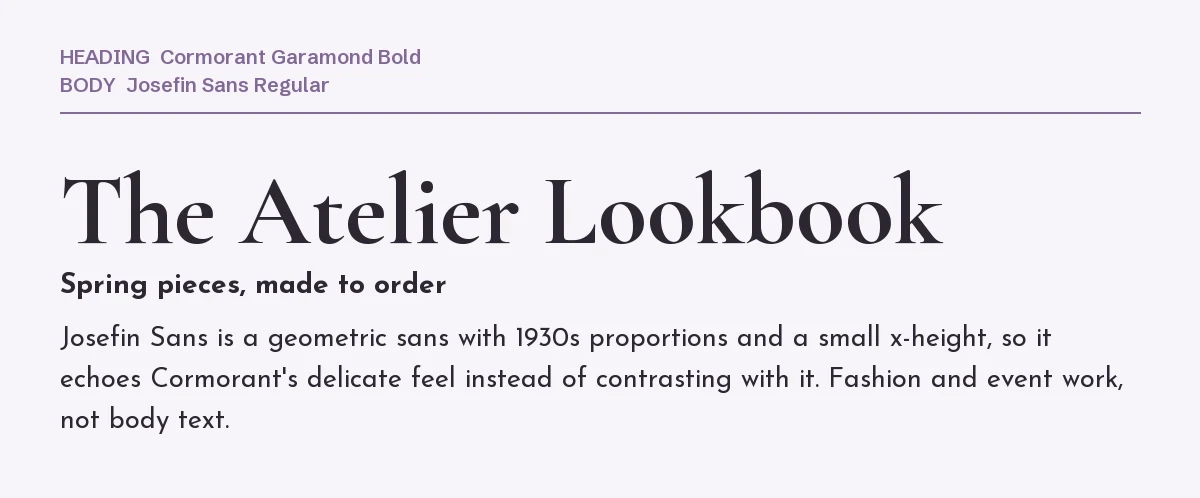
Josefin Sans takes its proportions from 1930s geometric type: circular shapes, a small lowercase, a light default weight. Instead of contrasting with Cormorant Garamond, it echoes it, which gives a fashion or editorial layout a single consistent mood.
The trade-off is readability. Josefin Sans is a poor body font at small sizes, so keep it for short lines: captions, categories, a date, a location.
5. Cormorant Garamond + Work Sans
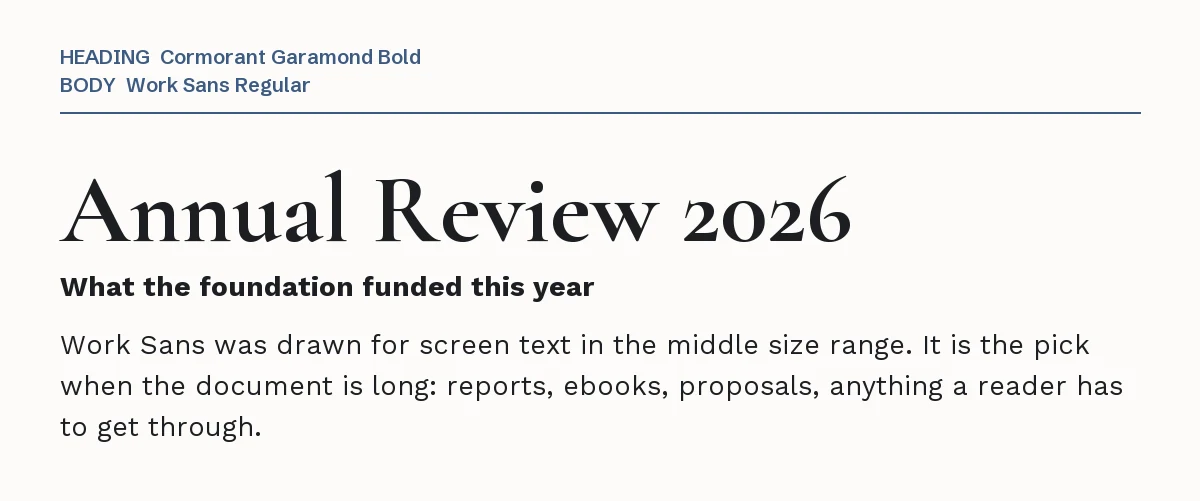
Work Sans was drawn for text in the middle size range on screens, which is exactly the size a report, an ebook chapter or a funding proposal uses. Under a Cormorant Garamond title, it keeps the document serious without making it look corporate.
If your Canva file is more text than picture, this is the safest choice on the list.
6. Cormorant Garamond + Great Vibes
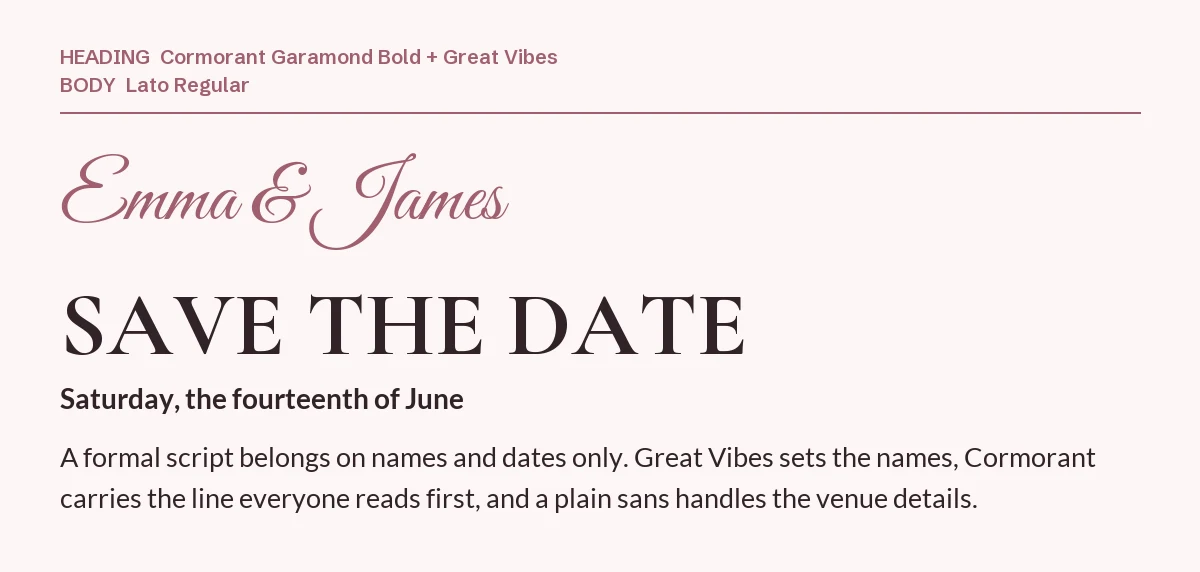
A formal script next to Cormorant Garamond only works in small doses: names, a date, two or three words. Here Great Vibes writes the names, Cormorant Garamond carries the line that is read first, and a plain sans handles the venue and the time.
Three fonts is the limit, and each one needs its own job. If you like the script on its own, see our Great Vibes font page.
One pairing to avoid: Playfair Display
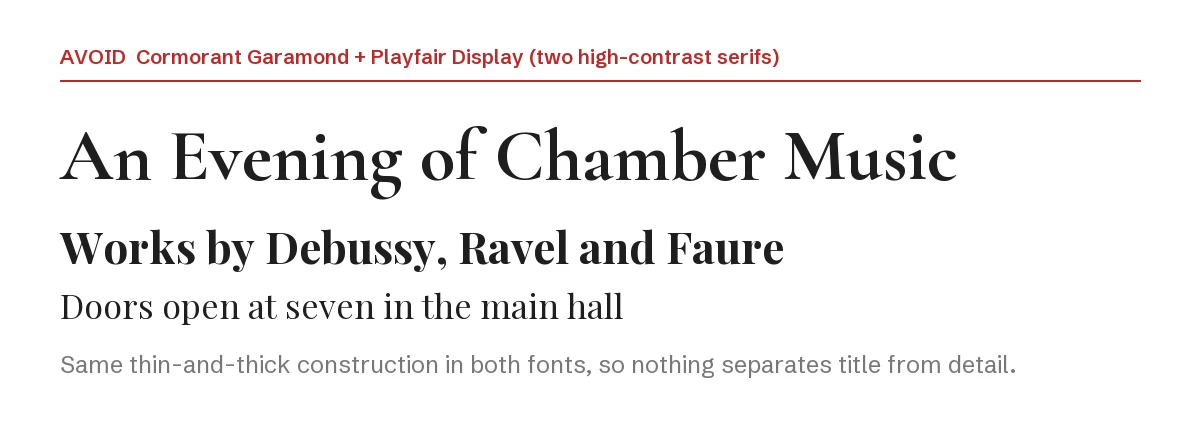
Playfair Display is the other elegant serif everyone reaches for, and stacking the two produces a design with no hierarchy: same thin-and-thick strokes, same formal mood, same era. The reader cannot tell which line is the title.
The same applies to EB Garamond, Cormorant (the parent family) and Prata. Pick one high-contrast serif per design and let a sans do the rest.
How to set the pairing in Canva
- Step 1: Add a heading text box, open the font menu and type Cormorant Garamond. Note that plain Cormorant is a different cut of the same family and sits next to it in the menu, so check the name before you commit.
- Step 2: Add a second text box for body copy and search for the partner font by name.
- Step 3: Set the heading at roughly three times the body size, then raise the body one or two points to compensate for Cormorant’s small lowercase.
- Step 4: If a font is missing from your font menu, it is not in your Canva library. On Canva Pro you can upload font files through Brand Kit → Brand fonts; every font in this guide is open source, so uploading it is allowed. You can download Cormorant Garamond with its license file from our Cormorant Garamond page.
If you want a serif nobody else is using
Cormorant Garamond is one of the most used serifs on Canva, which is exactly why a design made with it can look like a template. These two premium serifs from Creative Market fill the same headline role with letterforms that have not been seen a thousand times. To use them in Canva you need Canva Pro (to upload fonts through Brand Kit), and you should check the license terms on each product page before uploading.
| Font | Designer | Price (standard license) | Why consider it |
|---|---|---|---|
| Wolmer | Muflieart | $19 | Modern elegant serif in OTF, TTF and WOFF; the closest match in mood to Cormorant Garamond at the lowest price |
| The Effolia | Pista Mova | $35 | Nine weights of a high-contrast serif family, so you can build the whole hierarchy in one typeface |
Prices were read from the Creative Market product pages on 23 September 2026 and may change.
Both pair with the same sans serifs listed above. The rule does not change: one elegant serif, one plain partner.
More Canva pairing guides
- Libre Baskerville font pairings for Canva: six partners for a book serif that carries body text, not headlines
- Raleway font pairings for Canva: six partners for a thin, elegant sans, plus Raleway’s old-style number trap
- Poppins font pairings for Canva: six partners for a geometric sans, from Playfair Display to Inter
Frequently asked questions
Can I use Cormorant Garamond commercially in Canva?
Yes. It is released under the SIL Open Font License, which permits commercial work including logos, products for sale and client projects, with no attribution required. The license file is linked on our Cormorant Garamond page.
What is the difference between Cormorant and Cormorant Garamond?
They come from the same family by Christian Thalmann. Cormorant Garamond is the cut with the most Garamond-like flavour; plain Cormorant is the family’s default. In a font menu they look almost identical at small sizes, so set a large preview before choosing.
Is Cormorant Garamond a good body font?
Only for short passages, and only if you increase the size. For a paragraph of more than about fifty words, put Lato or Work Sans underneath and keep Cormorant Garamond for the heading.
Which font pairs with Cormorant Garamond for a wedding invitation?
Great Vibes for the names, Cormorant Garamond for the main line, and Lato or Montserrat for the details. Three fonts, three jobs, no overlap.
How many fonts should one Canva design use?
Two as a rule: one for headings, one for body. A third is only justified when it has a distinct job, like the script in pairing six. For other combinations, see our guides to Oswald and Poppins pairings in Canva.
Leave a Reply